
怎样将myeclipse里默认编码设置成utf-8
时间:2015-07-22 12:44:28
收藏:0
阅读:285
需要设置三个位置:
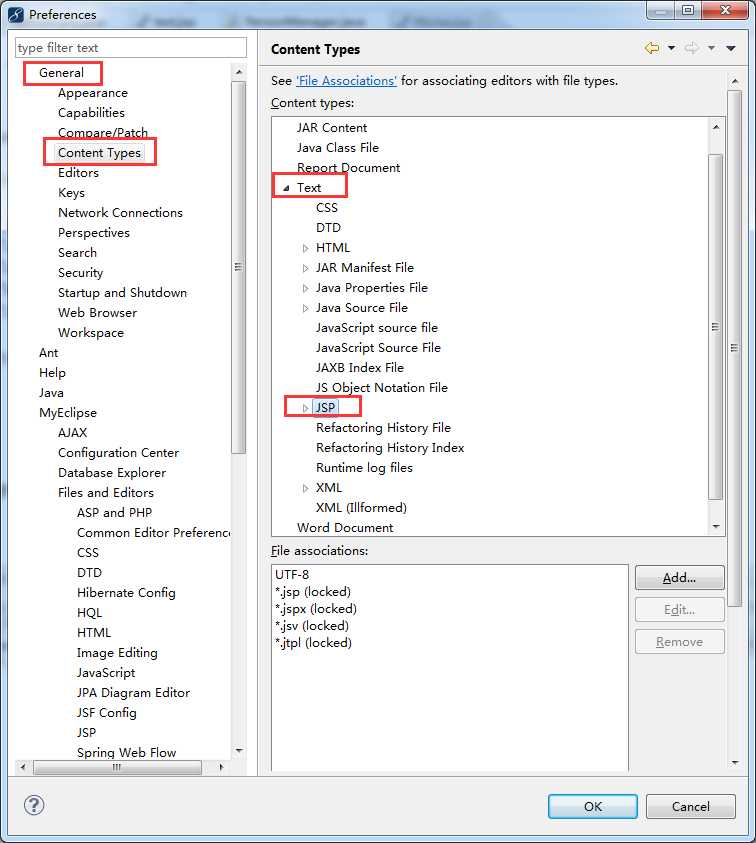
【1】需要在 Preferences-》general-》content types-》下角是文件编码,可以自己定义
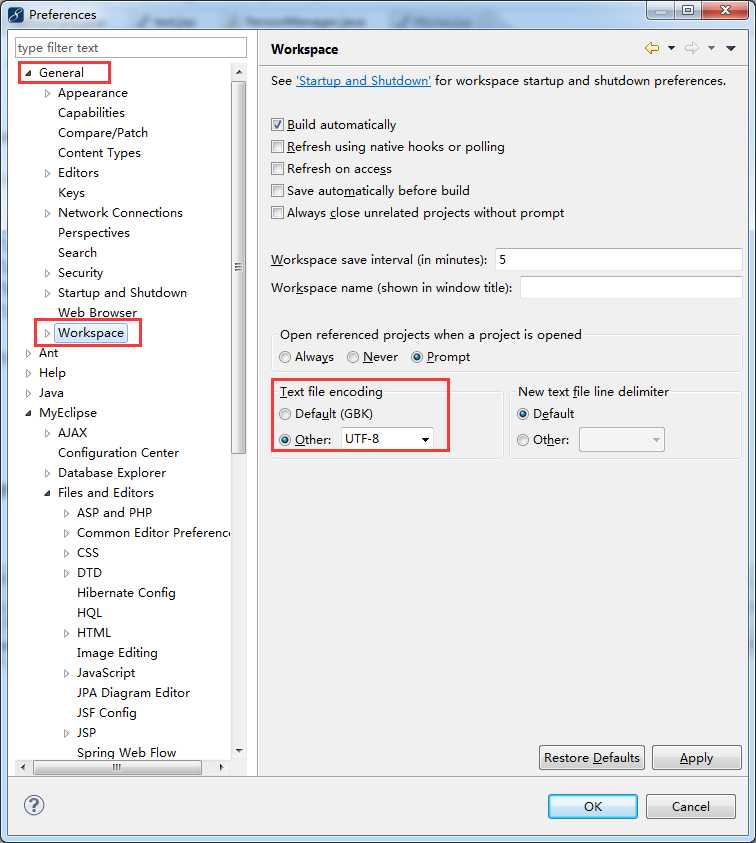
【2】windows->Preferences...打开"首选项"对话框,左侧导航树,导航到general->Workspace,右 侧Text file encoding,选择Other,改变为UTF-8,以后新建立工程其属性对话框中的Text file encoding即为UTF-8。
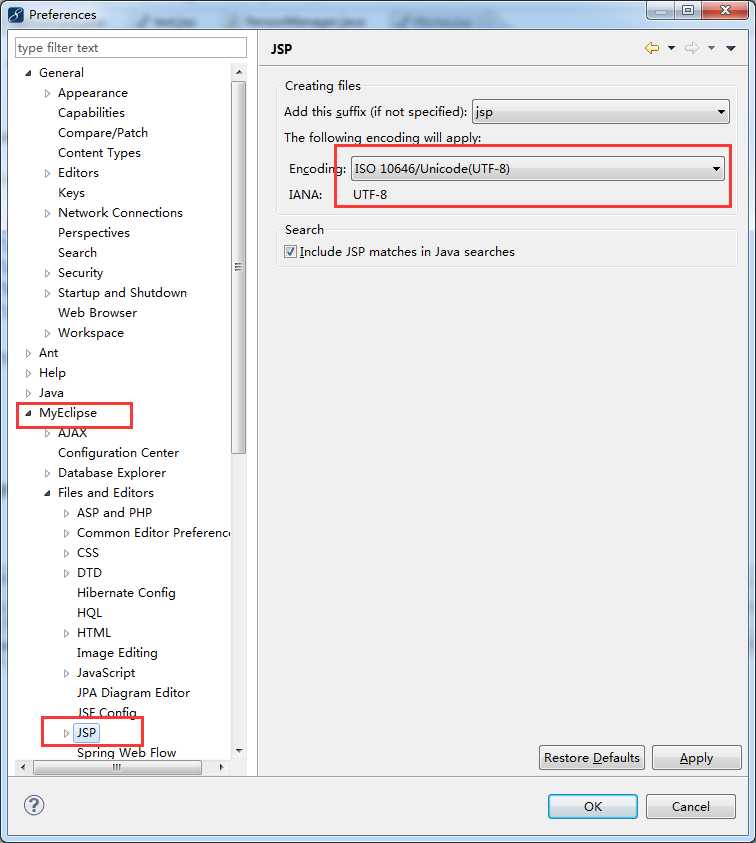
【3】Windows---->Preferences---->Myeclipse---->File and Editors----->jsp--->把这个目录下的Encoding选为你要设置
原文:http://www.cnblogs.com/abc8023/p/4666938.html
评论(0)