
Android性能优化工具之Systrace
本文大部分内容来自:http://www.androidperformance.com/android-performance-tools-systrace-1.html?utm_source=tuicool
Systrace是Android4.1中新增的性能数据采样和分析工具。它可帮助开发者收集Android关键子系统(如surfaceflinger、WindowManagerService等Framework部分关键模块、服务,View系统等)的运行信息,从而帮助开发者更直观的分析系统瓶颈,改进性能。
Systrace的功能包括跟踪系统的I/O操作、内核工作队列、CPU负载以及Android各个子系统的运行状况等。在Android平台中,它主要由3部分组成:
- 内核部分:Systrace利用了Linux Kernel中的ftrace功能。所以,如果要使用Systrace的话,必须开启kernel中和ftrace相关的模块。
- 数据采集部分:Android定义了一个Trace类。应用程序可利用该类把统计信息输出给ftrace。同时,Android还有一个atrace程序,它可以从ftrace中读取统计信息然后交给数据分析工具来处理。
- 数据分析工具:Android提供一个systrace.py(python脚本文件,位于Android SDK目录/tools/systrace中,其内部将调用atrace程序)用来配置数据采集的方式(如采集数据的标签、输出文件名等)和收集ftrace统计数据并生成一个结果网页文件供用户查看。 从本质上说,Systrace是对Linux Kernel中ftrace的封装。应用进程需要利用Android提供的Trace类来使用Systrace.
关于Systrace的官方介绍和使用可以看这里:Systrace
1.Systrace简单使用
使用Systrace前,要先了解一下Systrace在各个平台上的使用方法,鉴于大家使用Eclipse和Android Studio的居多,所以直接摘抄官网关于这个的使用方法,不过不管是什么工具,流程是一样的:
- 手机准备好你要进行抓取的界面
- 点击开始抓取(命令行的话就是开始执行命令)
- 手机上开始操作
- 设定好的时间到了之后,会将生成Trace文件,使用Chrome将这个文件打开进行分析
Using Eclipse
- In Eclipse, open an Android application project.
- Switch to the DDMS perspective, by selecting Window > Perspectives > DDMS.
- In the Devices tab, select the device on which to run a trace. If no devices are listed, make sure your device is connected via USB cable and that debugging is enabled on the device.
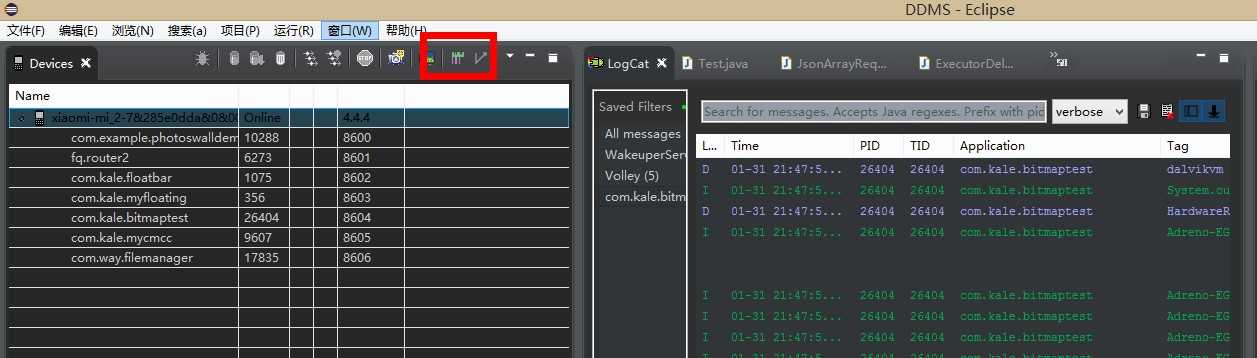
- Click the Systrace icon at the top of the Devices panel to configure tracing.
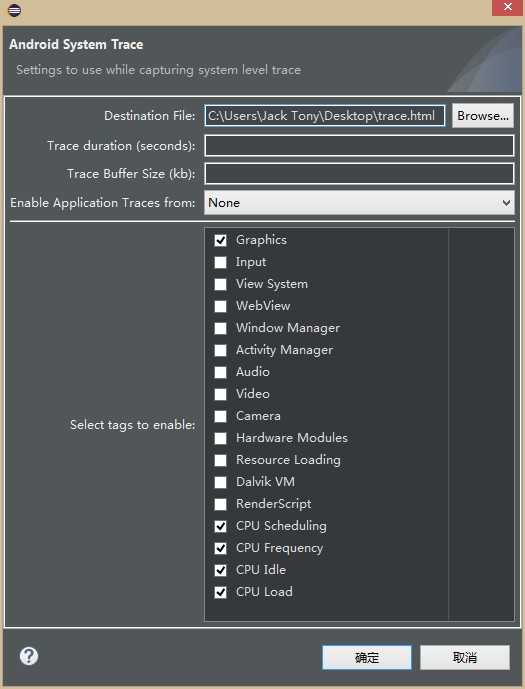
- Set the tracing options and click OK to start the trace.
Using Android Studio
- In Android Studio, open an Android application project.
- Open the Device Monitor by selecting Tools > Android > Monitor.
- In the Devices tab, select the device on which to run a trace. If no devices are listed, make sure your device is connected via USB cable and that debugging is enabled on the device.
- Click the Systrace icon at the top of the Devices panel to configure tracing.
- Set the tracing options and click OK to start the trace.
Using Device Monitor
- Navigate to your SDK tools/ directory.
- Run the monitor program.
- In the Devices tab, select the device on which to run a trace. If no devices are listed, make sure your device is connected via USB cable and that debugging is enabled on the device.
- Click the Systrace icon at the top of the Devices panel to configure tracing.
- Set the tracing options and click OK to start the trace.
图解:
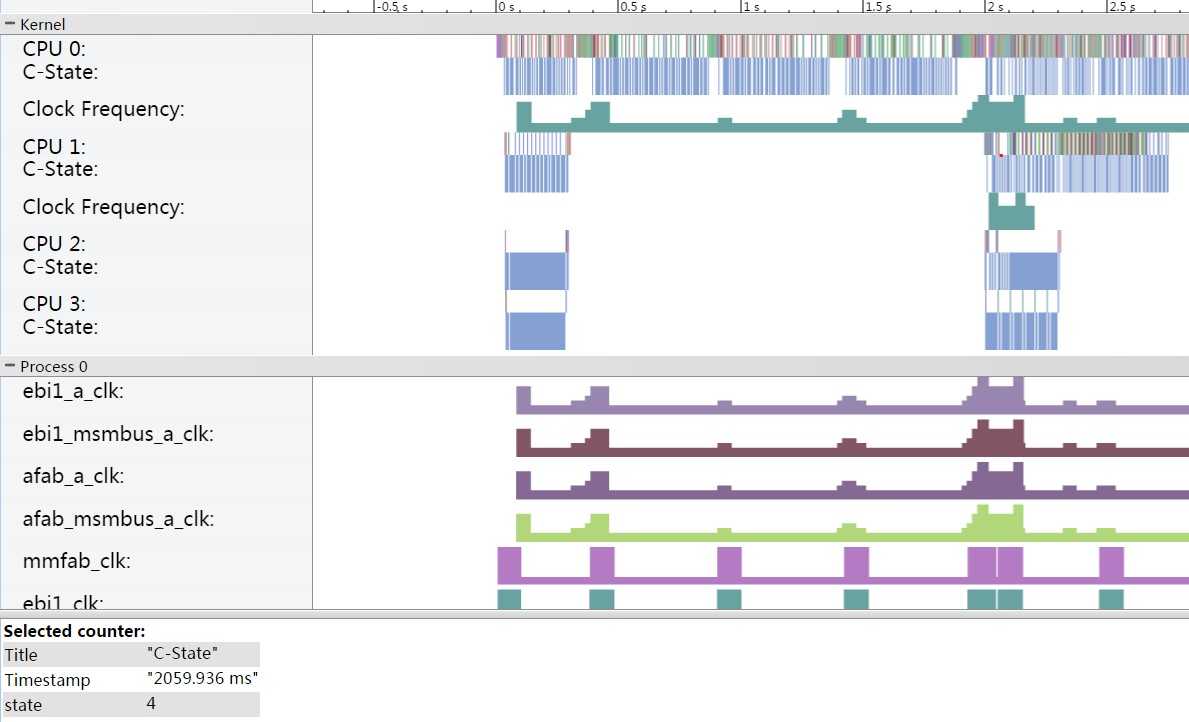
首先进入DDMS,然后点击设备,点击Systrace按钮,接着选择测试项,这里可以设定时间。点击确定后开始操作手机,在时间到了后会自动生成报表。
参考自:
http://blog.csdn.net/tommy_wxie/article/details/8636853
http://www.androidperformance.com/android-performance-tools-systrace-1.html?utm_source=tuicool
原文:http://www.cnblogs.com/tianzhijiexian/p/4264794.html