
WrapPanel流布局的一个简单例子
时间:2014-01-17 09:19:24
收藏:0
阅读:536

<Window x:Class="WrapPanel.MainWindow"
        xmlns="http://schemas.microsoft.com/winfx/2006/xaml/presentation"
        xmlns:x="http://schemas.microsoft.com/winfx/2006/xaml"
        Title="MainWindow" Height="300" Width="310">
    <Grid>
        <WrapPanel Orientation="Vertical" HorizontalAlignment="Right"><!--设置流方向为垂直,内部控件的对齐方式是向右-->
            <Button Content="OK" Width="50" Height="50"></Button>
            <Button Content="OK" Width="50" Height="50"></Button>
            <Button Content="OK" Width="50" Height="50"></Button>
            <Button Content="OK" Width="50" Height="50"></Button>
            <Button Content="OK" Width="50" Height="50"></Button>
            <Button Content="OK" Width="50" Height="50"></Button>
            <Button Content="OK" Width="50" Height="50"></Button>
        </WrapPanel>
    </Grid>
</Window>
截图:
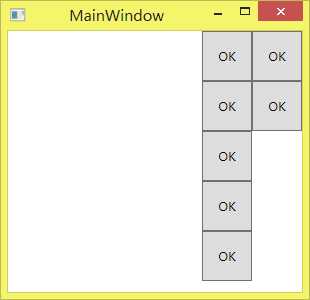
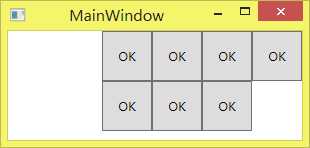
原文:http://www.cnblogs.com/KeenLeung/p/3523349.html
评论(0)