
GitHub git连接GitHub、上传Code,下载Code
时间:2021-06-29 13:22:30
收藏:0
阅读:15
1. 下载Git客户端安装
https://git-scm.com/download/win2. GitHub创建仓库
最简单操作,请参考 Github 创建仓库
3. 添加本地目录到远程仓库
右击要push的目录,就会出现Git Bash选项,点击进入。
4. 设置用户名和邮箱地址
git config --global user.name "用户名"
git config --global user.email "邮箱"

5. 查看用户名和邮箱命令
git config --global user.name
git config --global user.email

6. 初始化本地仓库
git init

此时当前目录下回创建一个.git的文件(此文件可能会隐藏)
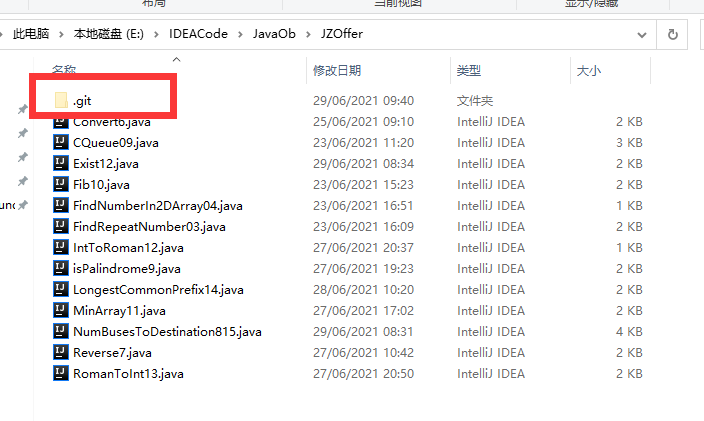
7.
原文:https://www.cnblogs.com/haifwu/p/14949142.html
评论(0)