
eclipse 安装 类图插件 Plant UML
时间:2021-06-17 00:27:14
收藏:0
阅读:17
下载更新 PlantUML Eclipse 插件,打开 Eclipse,Help-> Install new software...。
填入相应的 URL:
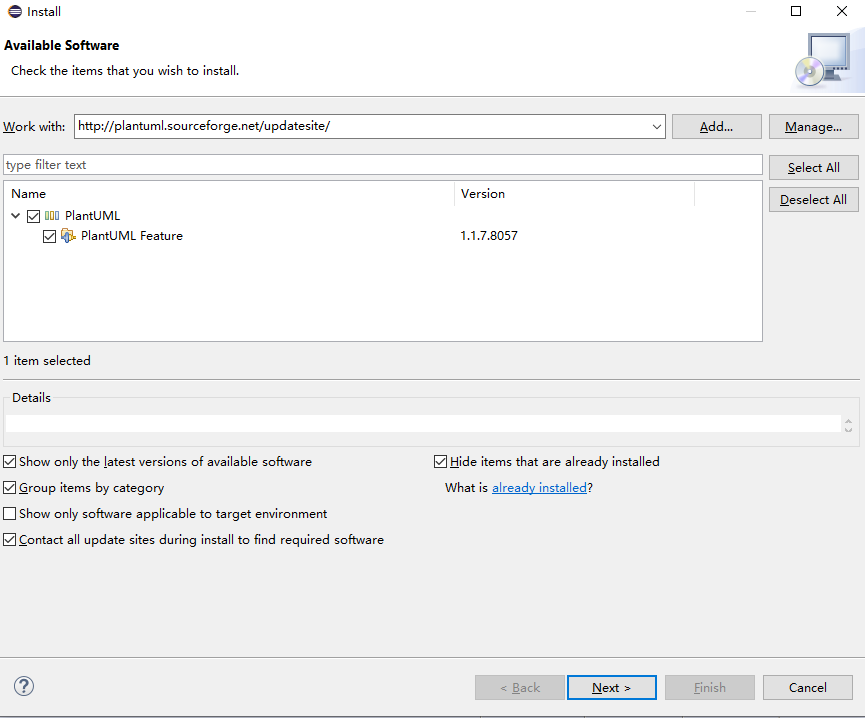
下载安装成功后,重启 Eclipse。会在 Windows->Show View->Other 看到 PlantUML 的图标。
原文:https://www.cnblogs.com/moonsoft/p/14891459.html
评论(0)