
VMware kaliLinux 修改静态IP后,无法访问外网
时间:2021-06-10 17:27:55
收藏:0
阅读:34
1、修改interface文件
vim /etc/network/interface
2、添加以下配置
auto eth0

iface eth0 inet static

address 192.168.1.253
netmask 255.255.255.0
gateway 192.168.1.1
3、重启网卡
service networking restart
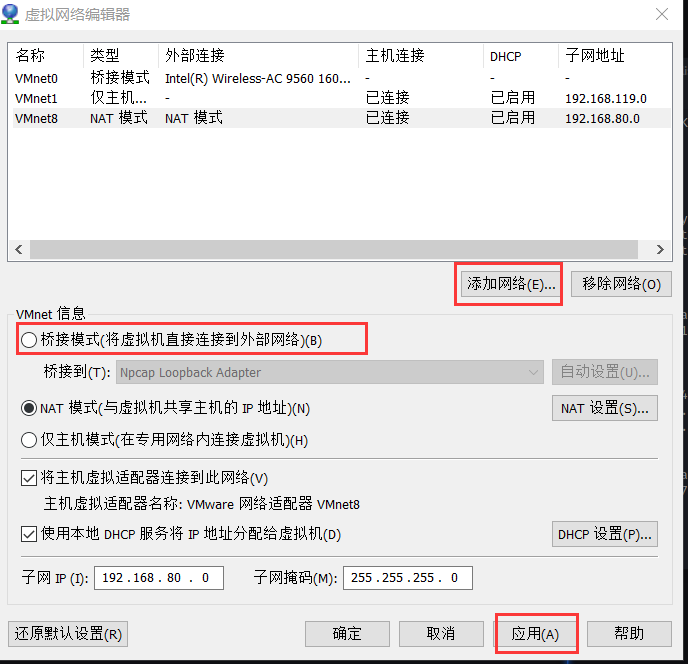
4、打开虚拟机VMware的编辑--虚拟网络编辑器
原文:https://www.cnblogs.com/VkeLixt/p/14871152.html
评论(0)