
Mac设置终端打开快捷键
时间:2021-06-10 12:14:14
收藏:0
阅读:25
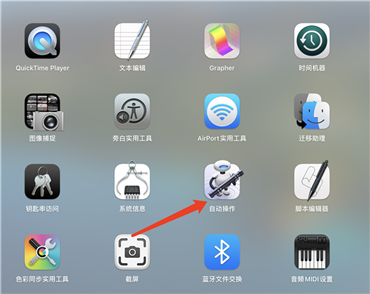
第一步,找到自动操作
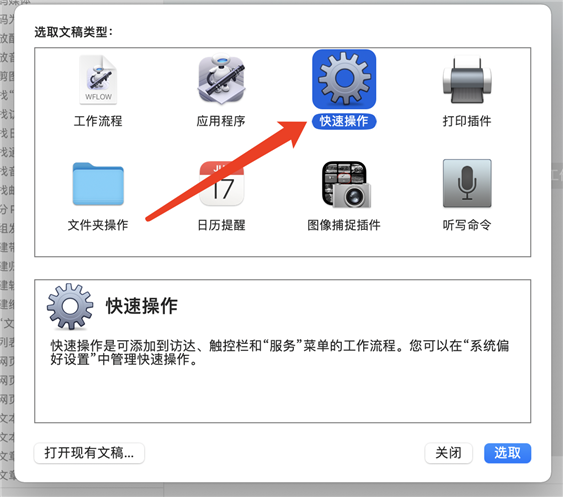
第二步,打开快捷操作
第三步,工作流选择没有输入,将下面脚本输入其中,并保存名称为open terminal
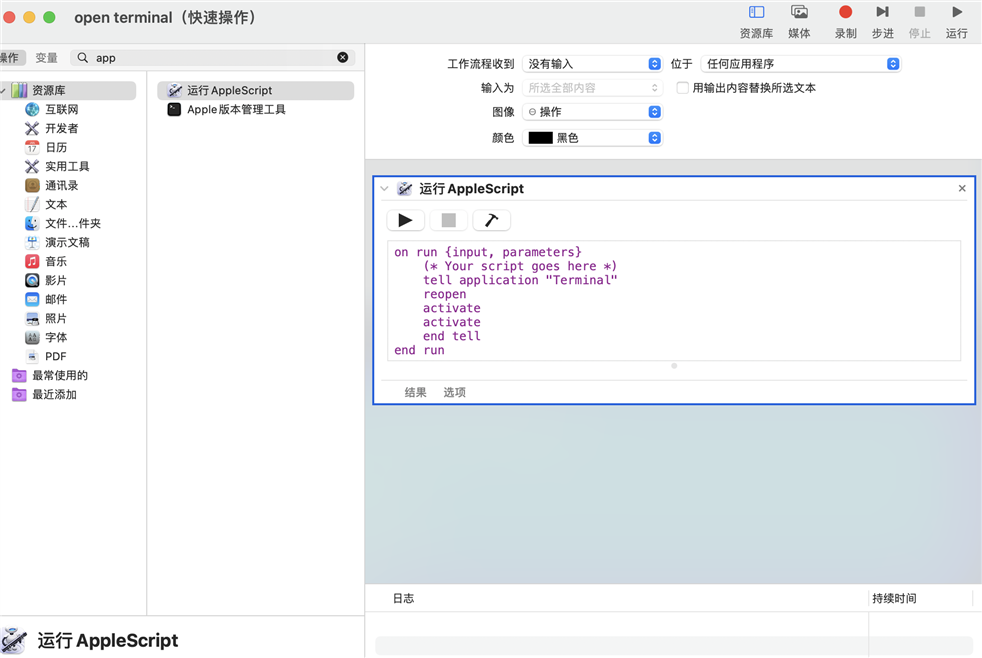
on run {input, parameters}
    (* Your script goes here *)
    tell application "Terminal"
    reopen
    activate
    activate
    end tell
end run
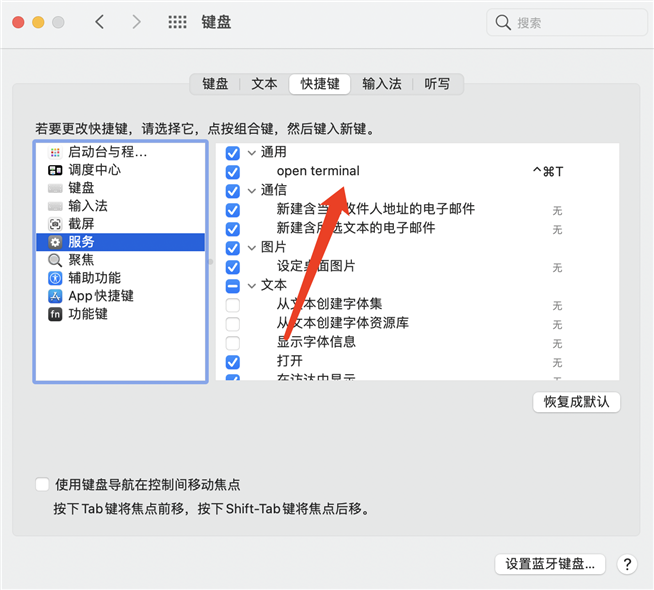
第四步,打开系统偏好设置,选择键盘
原文:https://www.cnblogs.com/jiqing9006/p/14870086.html
评论(0)