
linux忘记密码
时间:2021-06-09 21:34:25
收藏:0
阅读:28
linux忘记密码
Centos忘记密码
【解决办法】:
1.)开机过程中按 e,进入编辑模式
2.)按键盘下键,找到 LANG=en_US.UTF-8,在后面追加rw single init=/bin/bash,然后按ctrl+x重启系统
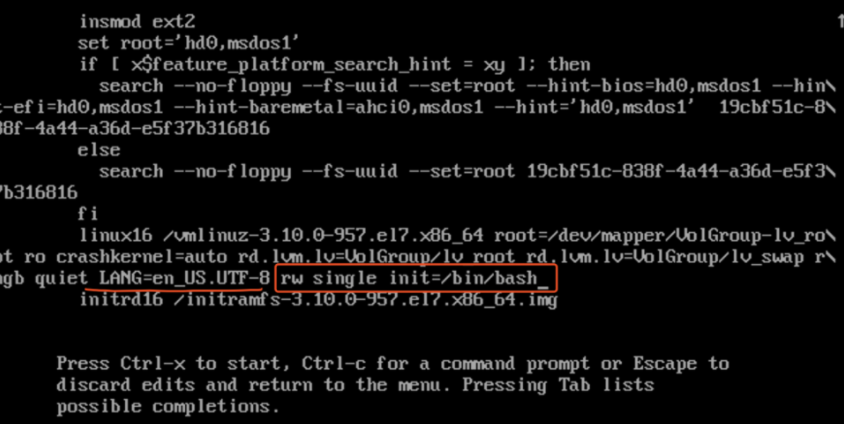
3.)进入bash界面后,执行 passwd 重置密码
4.) 重启 reboot
相关链接
https://blog.csdn.net/gnail_oug/article/details/94721777
原文:https://www.cnblogs.com/tomtellyou/p/14868146.html
评论(0)