
archlinux downloading required keys
时间:2021-05-11 17:35:14
收藏:0
阅读:28
1.问题
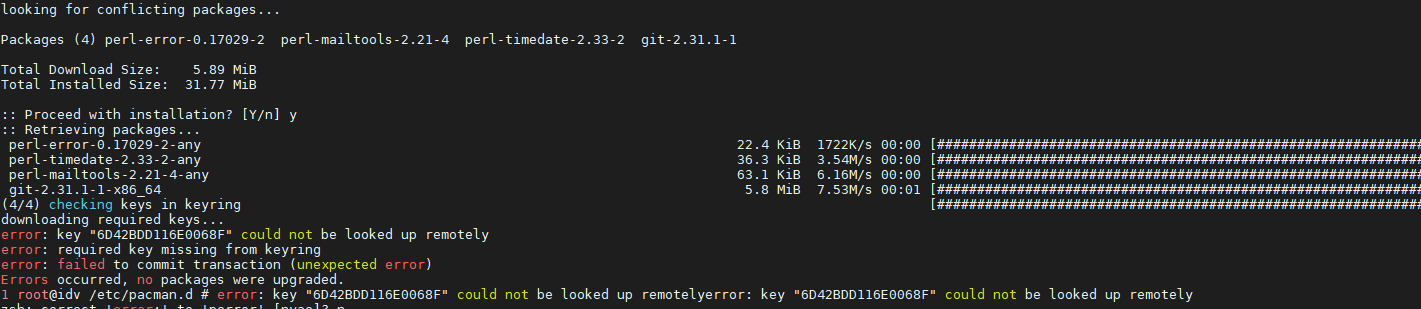
解决办法:
rm -R /etc/pacman.d/gnupg/
(if this dir exists) rm -R /root/.gnupg/
gpg --refresh-keys
pacman-key --init && pacman-key --populate
pacman-key --refreash-keys
2.ERROR: A specified local key could not be updated from a keyserver

解决办法:
1. 编辑 /etc/pacman.d/gnupg/gpg.conf
    新增 keyserver hkp://ipv4.pool.sks-keyservers.net:11371
2.初始化秘钥
    pacman-key --init
    pacman-key --populate archlinux
    pacman-key --refresh-keys
原文:https://www.cnblogs.com/Geirge-ye/p/14754222.html
评论(0)