
ubuntu20配置远程桌面
时间:2021-05-11 16:53:06
收藏:0
阅读:22
ubuntu20配置远程桌面
制作人:全心全意
步骤一:设置->共享->启用屏幕共享(设置远程连接的密码)
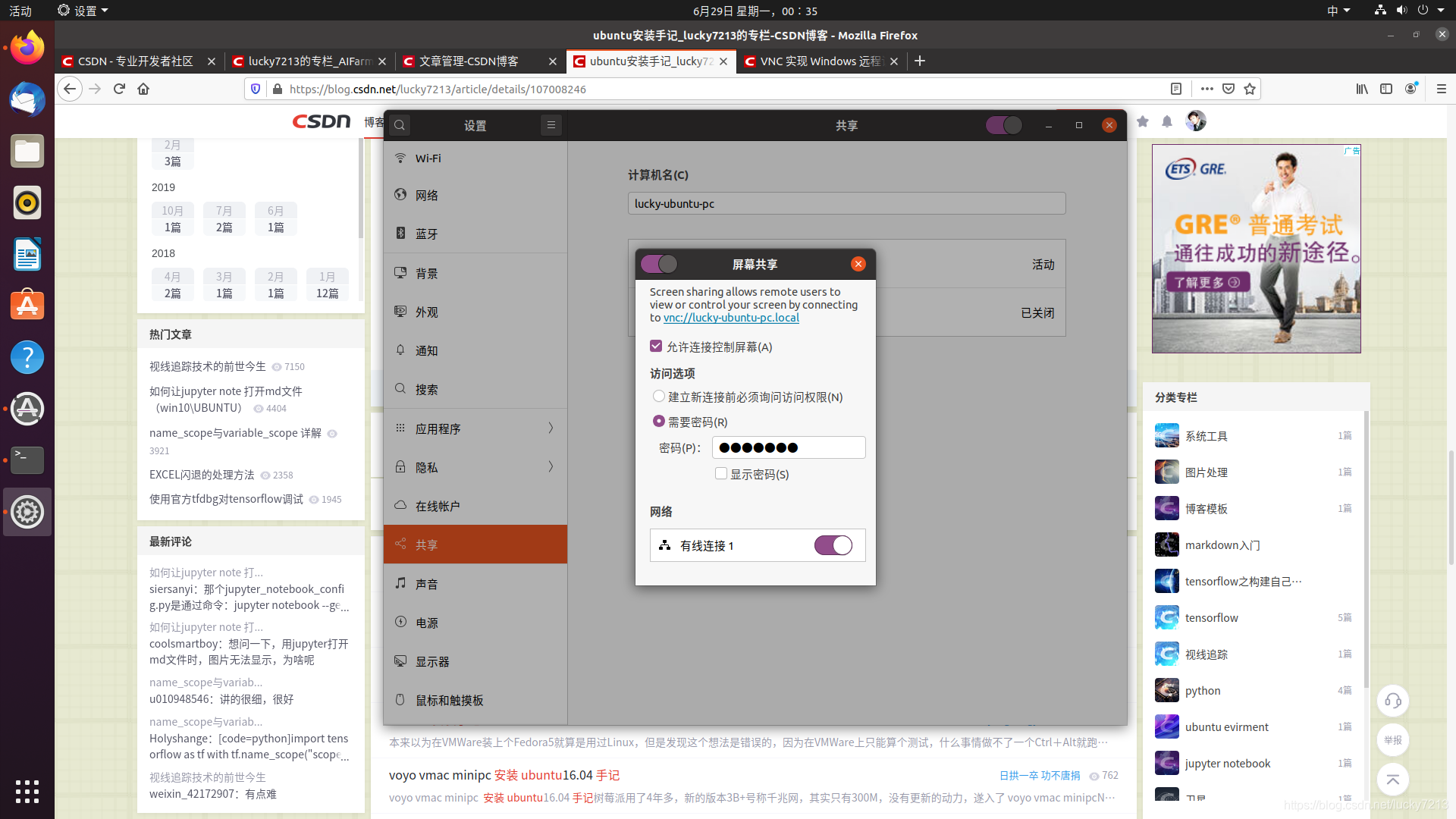
步骤二:安装xrdp和dconf-editor
apt-get install xrdp
apt-get install dconf-editor
步骤三:配置dconf-editor
打开dconf程序,依次展开org->gnome->desktop->remote-access,然后取消 “requlre-encryption”的勾选即可。
现在即可使用mstsc进行远程(注:使用vnc-any进行连接)
原文:https://www.cnblogs.com/zhangquan-yw/p/14755157.html
评论(0)