
shell脚本修改配置文件加上或者去掉注释
时间:2021-03-17 17:17:56
收藏:0
阅读:87
脚本内容如下
#/bin/bash
set -e
conf=$1
current_path=$(cd $(dirname $0); pwd)
if [ ! -f "$conf" ]; then
echo "the file $conf is not exesit!,please check it"
exit 101
fi
while read line
do
echo $line
if ( echo ${line} |grep -q "//" );
then
echo $line
newline=$(echo $line|cut -b 3-${#line})
sed -i "s#$line#$newline#g" $conf
else
echo $line
newline="//$line"
echo ${newline}
sed -i "s#$line#$newline#g" $conf
fi
done < $current_path/md.conf
并在同一级目录创建一个配置文件md.conf,内容配置为你想改的行数内容
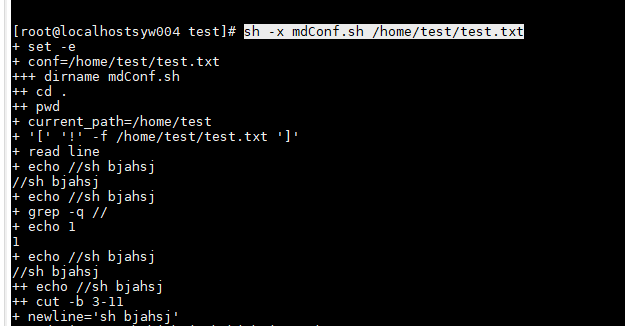
调用方式 sh -x mdConf.sh 指定的配置文件
原文:https://www.cnblogs.com/shiyerui/p/14549552.html
评论(0)