
Windows安装scoop的方法
时间:2021-03-16 11:37:07
收藏:0
阅读:29
1.Make sure PowerShell 5 (or later, include PowerShell Core) and .NET Framework 4.5 (or later) are installed. Then run
执行下面的命令:
Invoke-Expression (New-Object System.Net.WebClient).DownloadString(‘https://get.scoop.sh‘)
or shorter
或者执行下面更简短的命令
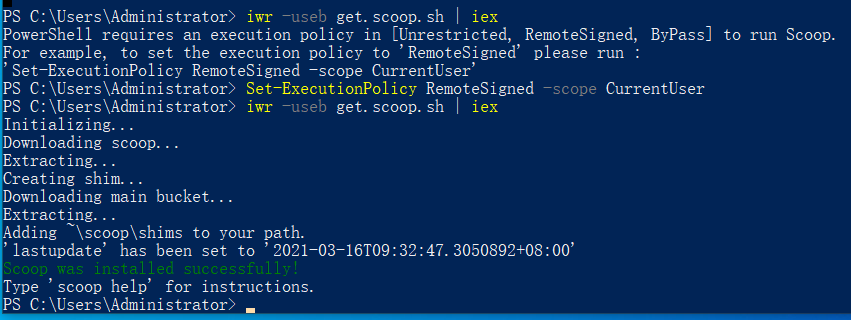
iwr -useb get.scoop.sh | iex
2.Note: if you get an error you might need to change the execution policy (i.e. enable Powershell) with
如果执行上面的2条命令都失败了,请先执行下面的命令来改变执行策略
Set-ExecutionPolicy RemoteSigned -scope CurrentUser
原文:https://www.cnblogs.com/nonamelake/p/14541709.html
评论(0)