
Android Studio设置国内镜像代理
时间:2021-03-07 00:08:51
收藏:0
阅读:195
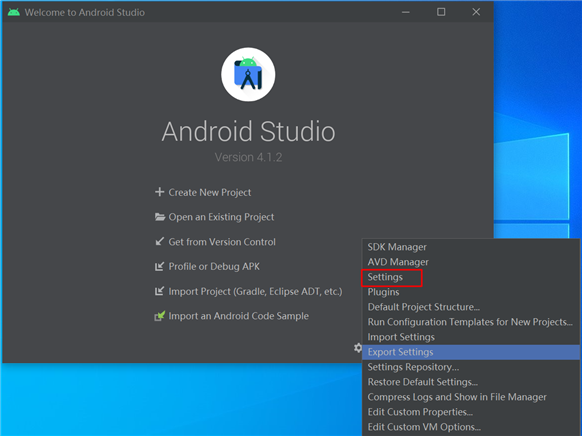
点击欢迎界面右下角的Configure –> settings –> Appearance & Behavior –> System Settings –> HTTP Proxy,
选中Auto-detect proxy settings,勾选下方Automatic proxy configuration URL,填入国内的某个镜像站。
如:输入 http://maven.aliyun.com/nexus/content/groups/public/
原文:https://www.cnblogs.com/luckyls/p/14491257.html
评论(0)