
windows.terminal 外观设置(亚克力+复古)
时间:2021-02-23 16:36:54
收藏:0
阅读:261
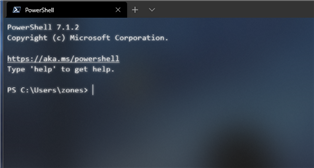
打开设置之后,目标是一个settings.json文件,在"profiles" -> "defaults" 下面,做出以下修改:
 "defaults":
        {
            // Put settings here that you want to apply to all profiles.
            "fontFace": "Menlo",
            "experimental.retroTerminalEffect": true,
            "useAcrylic": true,
            "acrylicOpacity": 0.6
        },
"fontFace" 字体,比较好看的还有"Fira Code","Consolas","Cascadia Code"等等。
"experimental.retroTerminalEffect" 开启复古效果。
"useAcrylic" 开启亚克力效果
"acrylicOpacity": 0.6 亚克力效果强度,1是效果最小,0.1是最强,但是过于模糊的效果在浅色背景下会影响阅读代码,所以在0.4-0.6之间比较合适。
原文:https://www.cnblogs.com/zhangz0126/p/14436523.html
评论(0)