
VS2019 Git连接源代码报错问题:cannot spawn askpass: No such file or directory could not read Username for ‘https://github.com‘: terminal prompts disabled
时间:2020-12-22 19:52:20
收藏:0
阅读:101
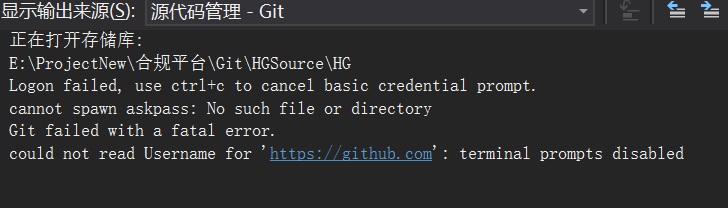
使用VS2019自带的团队资源管理器连接Git远程时,提示用户名密码,输入正确的用户名密码之后,报如下错误:
cannot spawn askpass: No such file or directory
could not read Username for ‘https://github.com‘: terminal prompts disabled
如图
出现此问题的解决办法是:
1、打开项目所在的目录下.git文件夹,打开config文件。
2、修改[remote “origin”]
url = https://github.com/XXXXX/XXXXx.git
为
url = https://自己的用户名:自己的密码@github.com/sunxiaobei/DesignPattern.git
增加:自己的用户名:自己的密码@
原文:https://www.cnblogs.com/qqflying/p/14174356.html
评论(0)