
asp.net core学习:准备asp.net core源码编译环境
时间:2020-12-19 13:44:03
收藏:0
阅读:50
通过源码学习,不但可以让我们知道asp.net core框架更底层的原理,而且在遇到问题找不到资料时,也是一个解决道路,以下是我准备asp.net core源码编译时的步骤。
1.下载源码:github https://github.com/dotnet/aspnetcore
git clone --recursive https://github.com/aspnet/AspNetCore
git submodule update --init --recursive
2.用希望调试的tag版本创建分支,如果只想调主分支可忽略此步,我要调试的是 v3.1.8
查看所有tag:git tag
检出v3.1.8: git checkout -b local3.1.8 v3.1.8
还原子模块:git submodule update --init --recursive
3.准备环境
- windows 10,版本>=1803,打开powershell执行脚本的限制
以管理员运行powershell
PS> set-ExecutionPolicy RemoteSigned,选择‘Y‘
- >10GB的磁盘剩余空间
- Visual Studio 2019,同时需要安装C++桌面开发包和其它的一些必要的组件
PS> ./eng/scripts/InstallVisualStudio.ps1
- Git客户端工具
- NodeJS >=10.14.2
- JDK >=11,可用安装脚本安装
PS> ./eng/scripts/InstallJdk.ps1
-
安装Chrome, Selenium测试需要这个
4.Visual Stduio 中编译
- 还原依赖,和各种语言、平台项目的包
PS> .\restore.cmd
这个过程会比较慢,等的时间也是最长的,一直在失败,程序会自动重试。
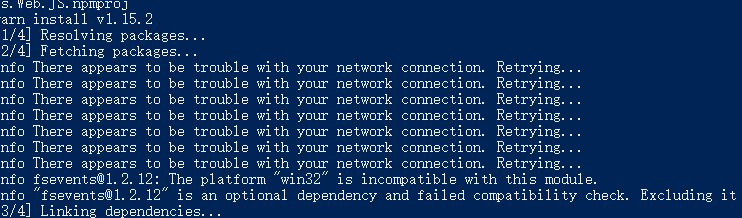
- 设置必要的环境变量,并用Visual Studio打开.sln文件,直接打开.sln可能会因缺少一些环境变量而失败。
PS>.\startvs.cmd
原文:https://www.cnblogs.com/asminfo/p/14158764.html
评论(0)