
idea 安装 Vue 插件没有Vue component选项
时间:2020-11-18 11:46:37
收藏:0
阅读:399
-
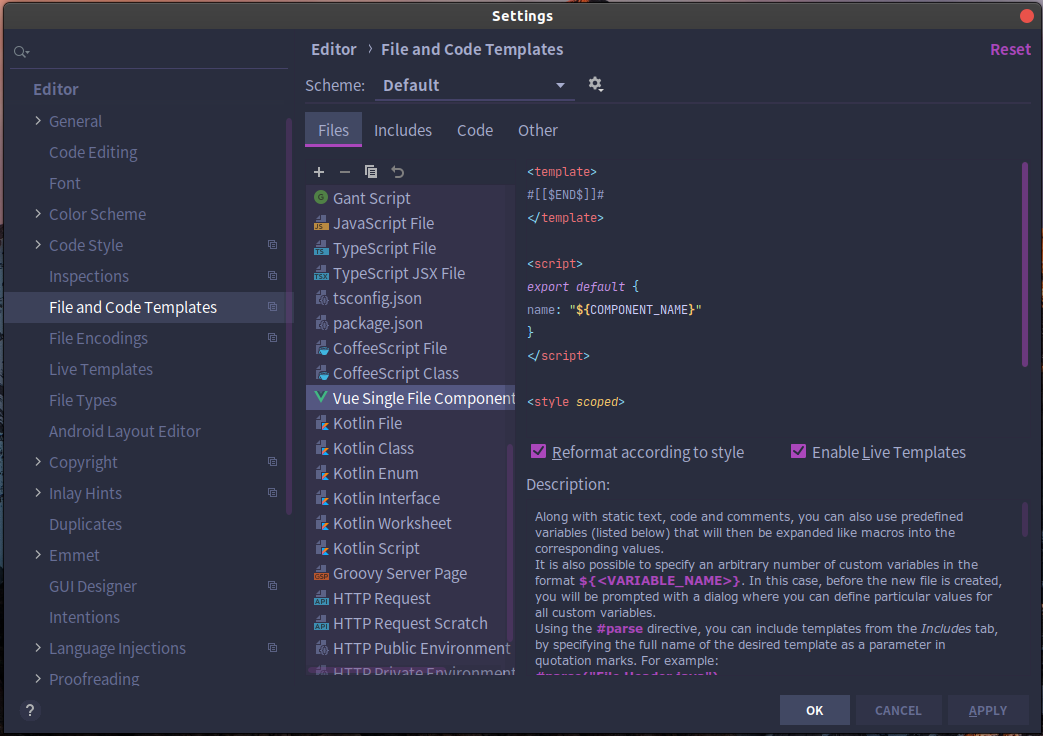
点击 file 打开设置 settings,展开 Editor 找到 file and code templates
-
找到 Vue single file component 并选中它,然后点击copy
-
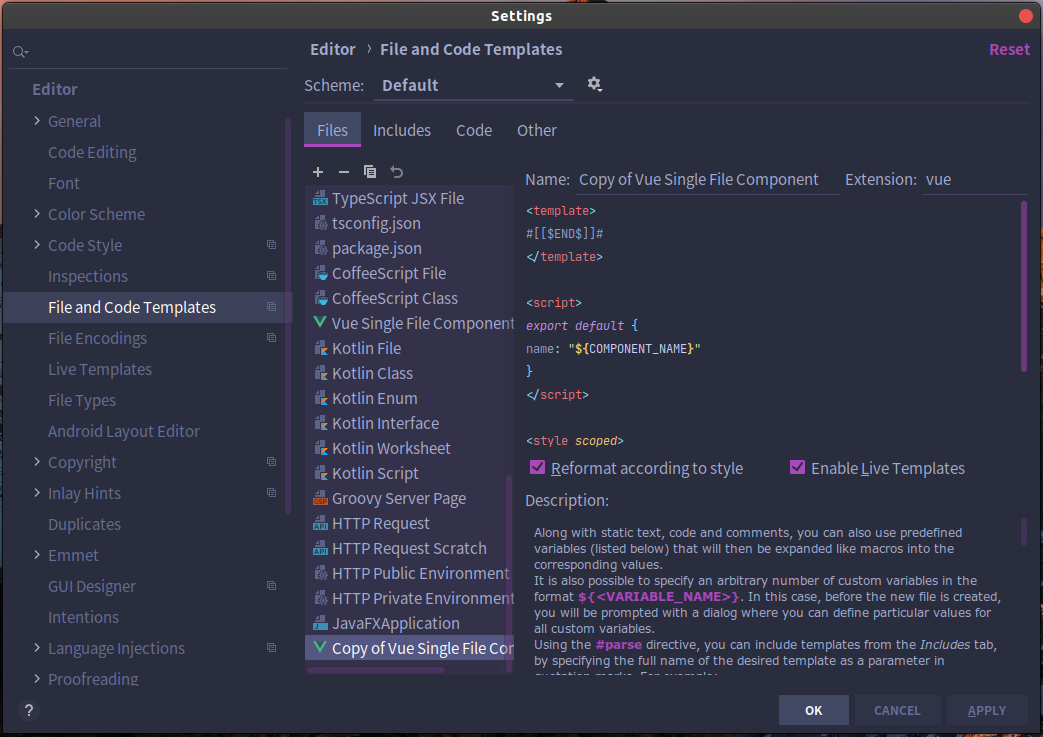
复制后底部出现了一个新的文件
-
把 Name 改成 Vue Component,然后把代码里的 “COMPONENT_ ”删掉,最后点 ok 就完事了
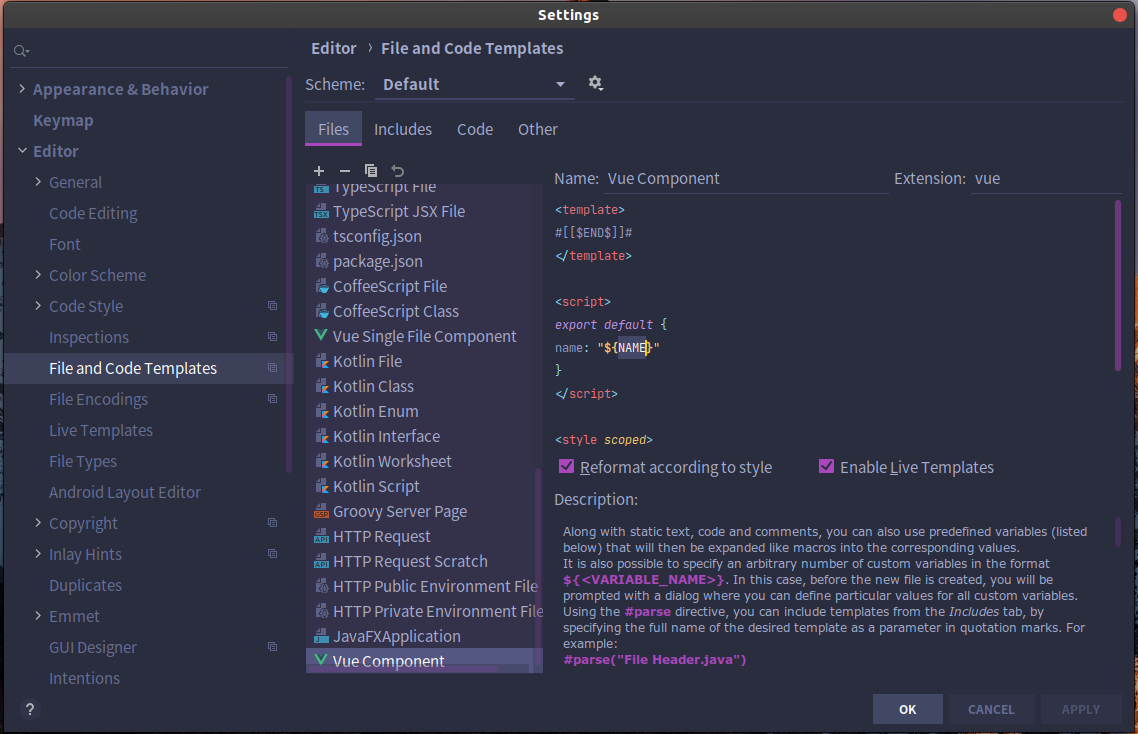
然后我们再新建一个文件的时候就可以看到有 Vue Component 选项了!
原文:https://www.cnblogs.com/langkyeSir/p/13998373.html
评论(0)