
2020版IDEA新建打开*.vue文件
时间:2020-10-13 15:00:04
收藏:0
阅读:415
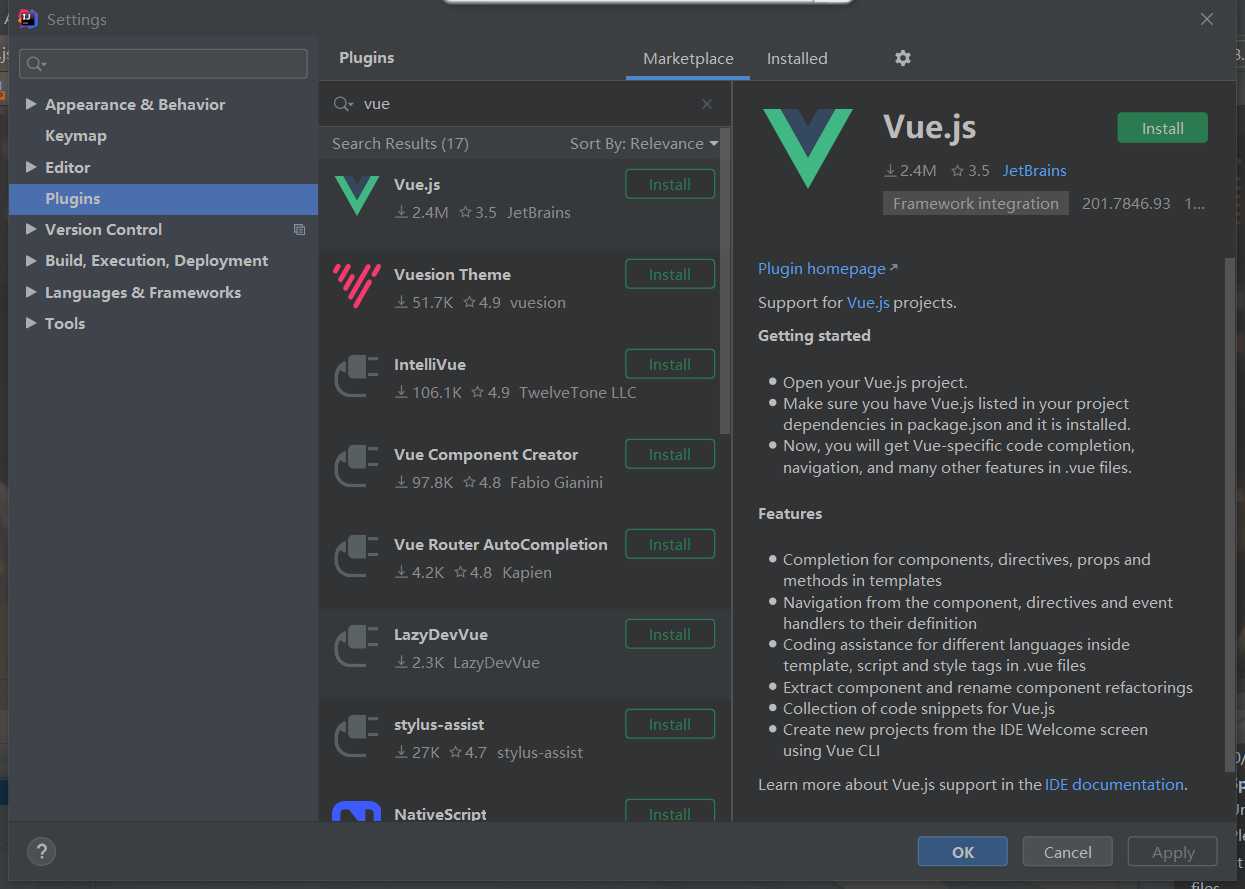
先安装vue插件:
file --> settings --> plugins-->vue.js-->install
设置vue文件模板。
file-->setting-->editor-->file and code Templates,选择Vue File,然后可以在右边框中编辑默认模板内容,编辑完点击“ok”。
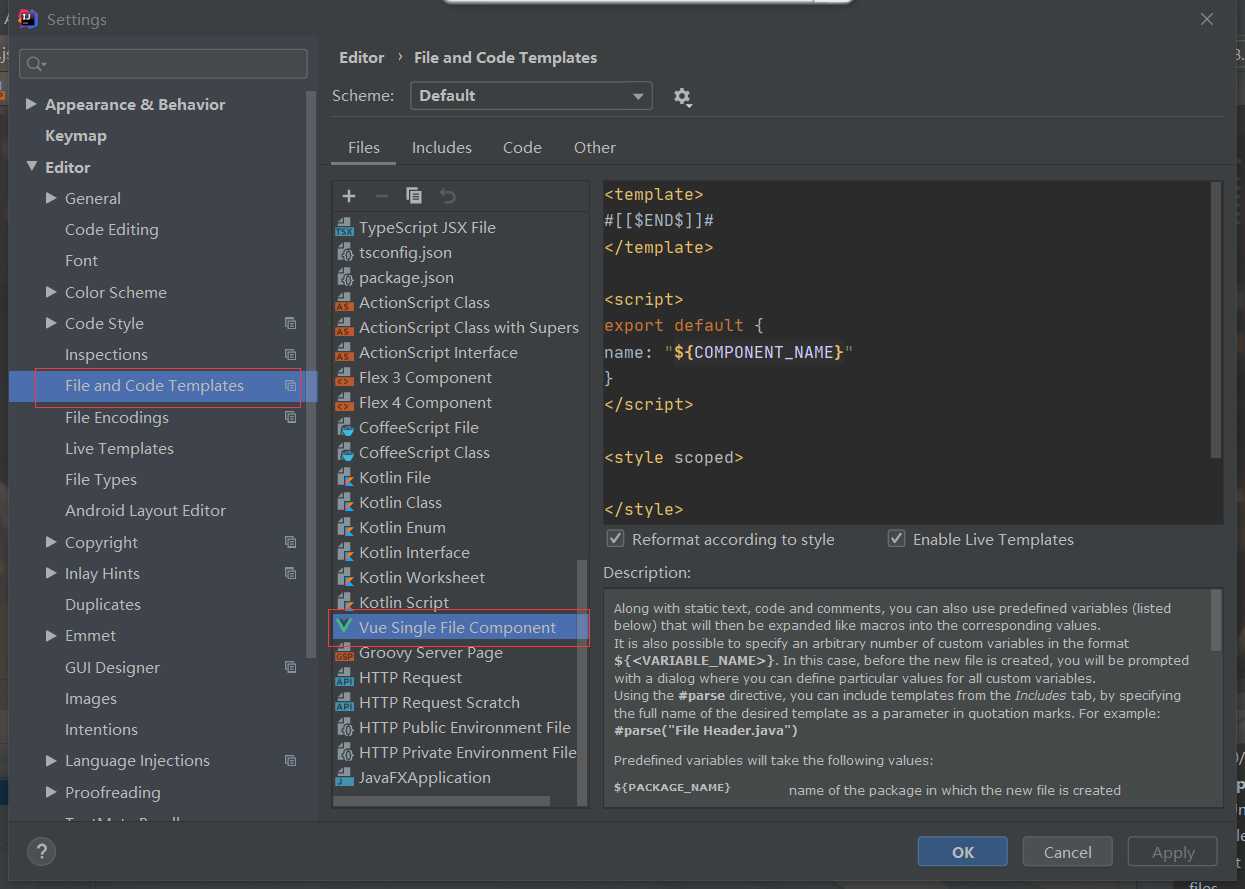
2020版不需要添加file type可以直接打开。
刚接触idea不是很熟练,file-new 一些文件不显示快捷方式,也没找到更多或搜索选项。后续教程补上
原文:https://www.cnblogs.com/tweixi/p/13807952.html
评论(0)