
解决IntelliJ IDEA 使用 TOMCAT 中文乱码问题
时间:2020-08-16 23:07:38
收藏:0
阅读:507
运行tomcat时,控制台乱码
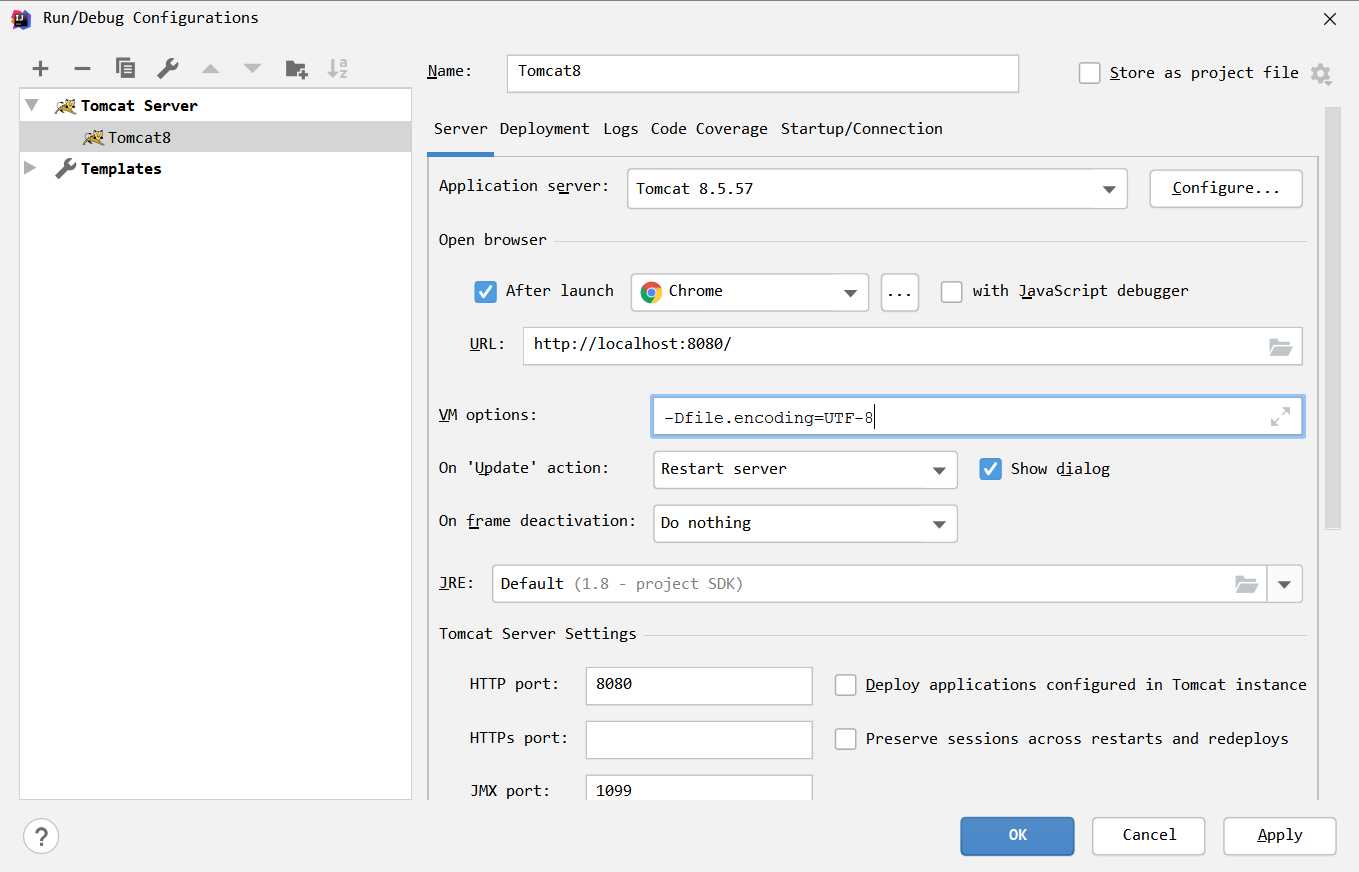
1)打开Run/Debug Configuration,选择你的tomcat
2)然后在 Server > VM options 设置为 -Dfile.encoding=UTF-8 ,重启tomcat
原文:https://www.cnblogs.com/cherish-code/p/13514926.html
评论(0)