
如何开发一个自己的npm包
时间:2020-06-16 21:00:37
收藏:0
阅读:64
一、初始化npm包
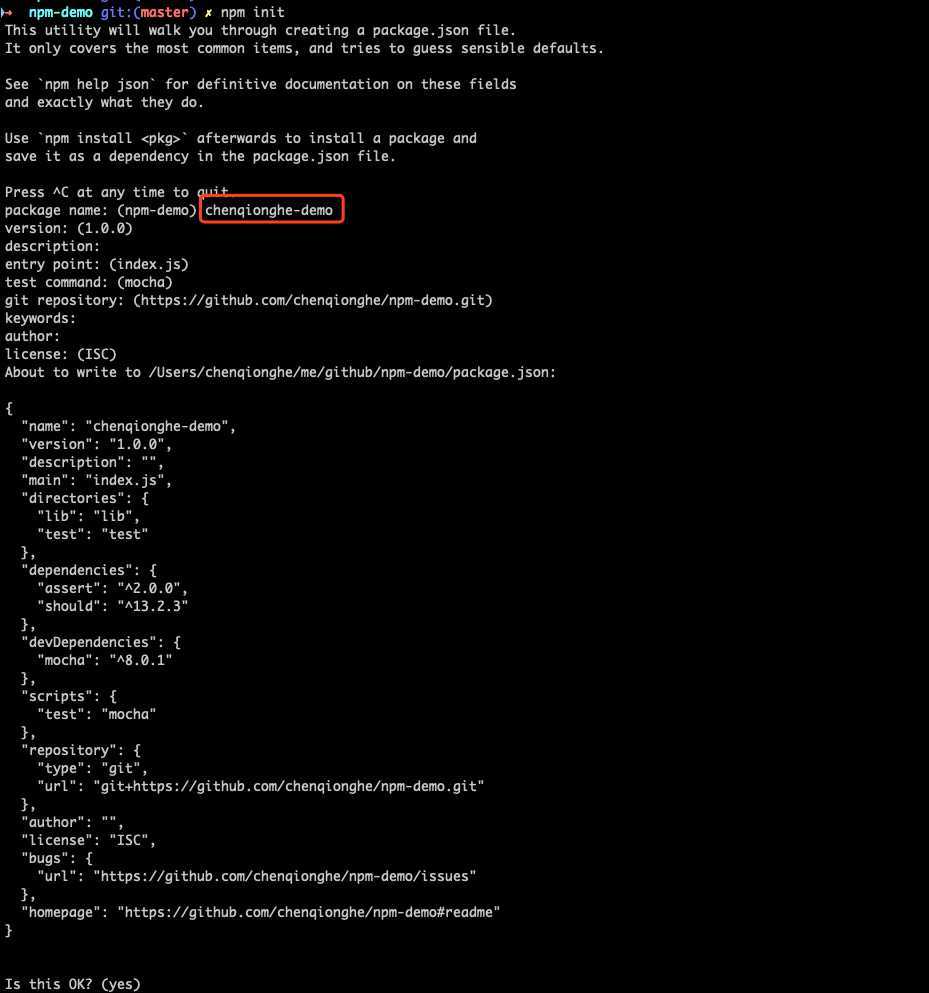
npm init
运行输入包名后一直回车,直到生成一个package.json,如下
二、新建自己的工具类
这里我建立了一个文件lib/cqh.js,内容如下
class Cqh {
    hello() {
        console.log(‘hello chenqionghe‘)
    }
}

module.exports = Cqh;
三、新建入口文件index.js
默认package.json中指定的入口是index.js,也就是require能用到的东西,我们在index.js里导出一下我们的工具包cqh.js就行了
const Hello = require("./lib/hello");

module.exports = {
    Hello
};
四、编写单元测试
安装一下依赖包
npm install mocha assert --save-dev
新建文件test/cqh.js,代码如下
/* eslint-env es6 */

const {describe} = require(‘mocha‘);
const assert = require(‘assert‘);

const {Cqh} = require(‘../index‘);

describe(‘cqh‘, () => {
    it(‘hello‘, async () => {
        let cqh = new Cqh();
        assert("hello chenqionghe", cqh.hello())
    });
});
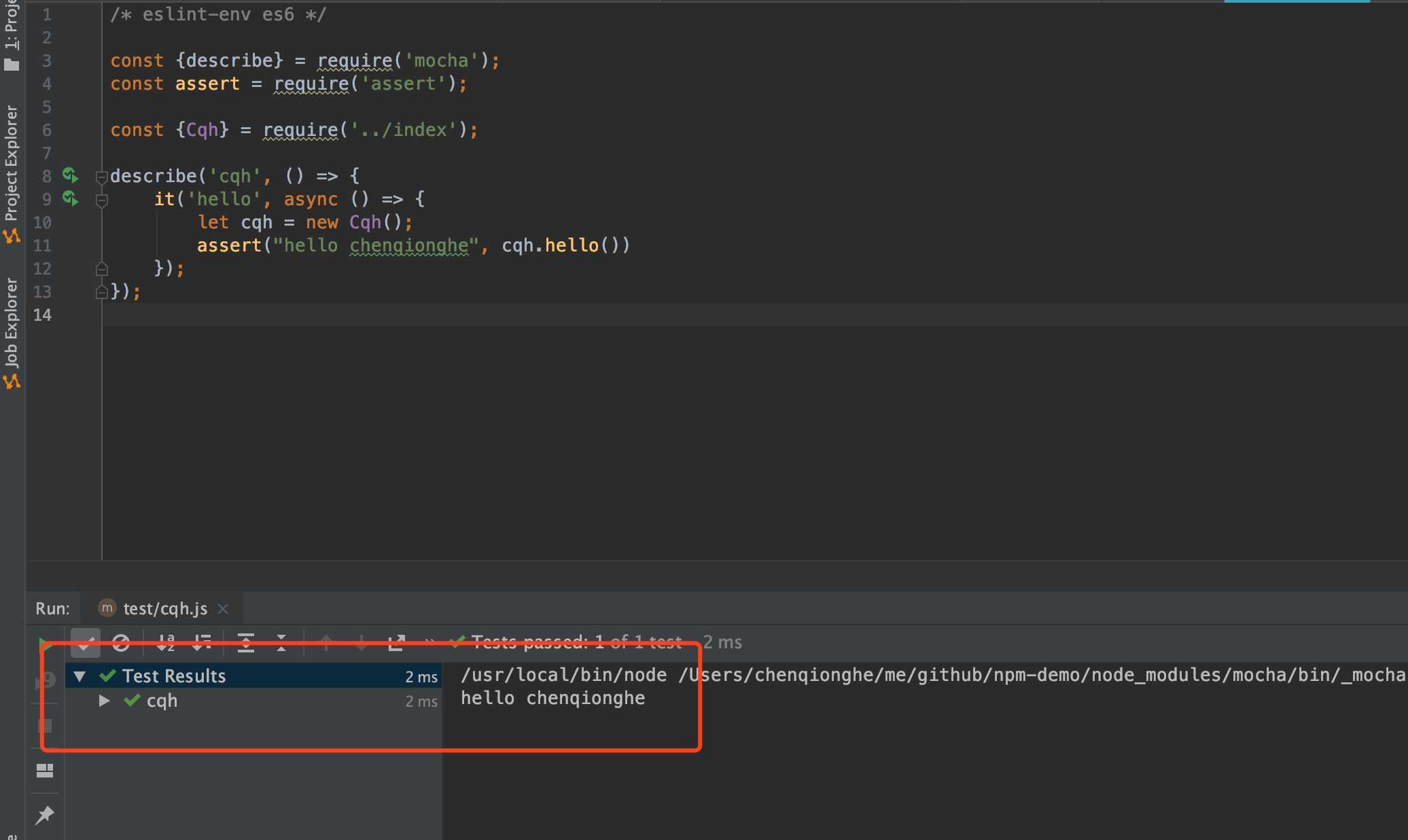
我们运行一下,断言成功
五、登录仓库
- 官方仓库
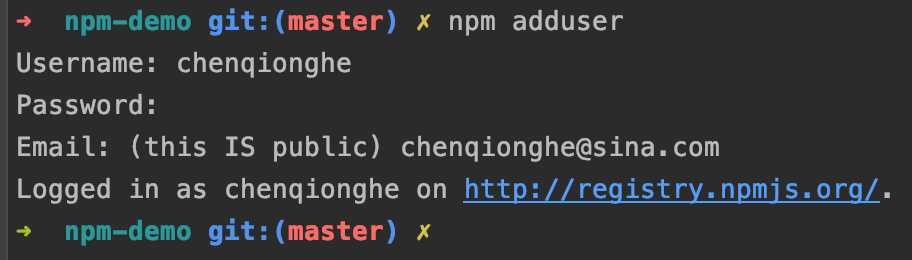
npm adduser
- 私有仓库
npm adduser --registry 仓库地址
这里我登录的是官方的
六、发布包
- 官方仓库
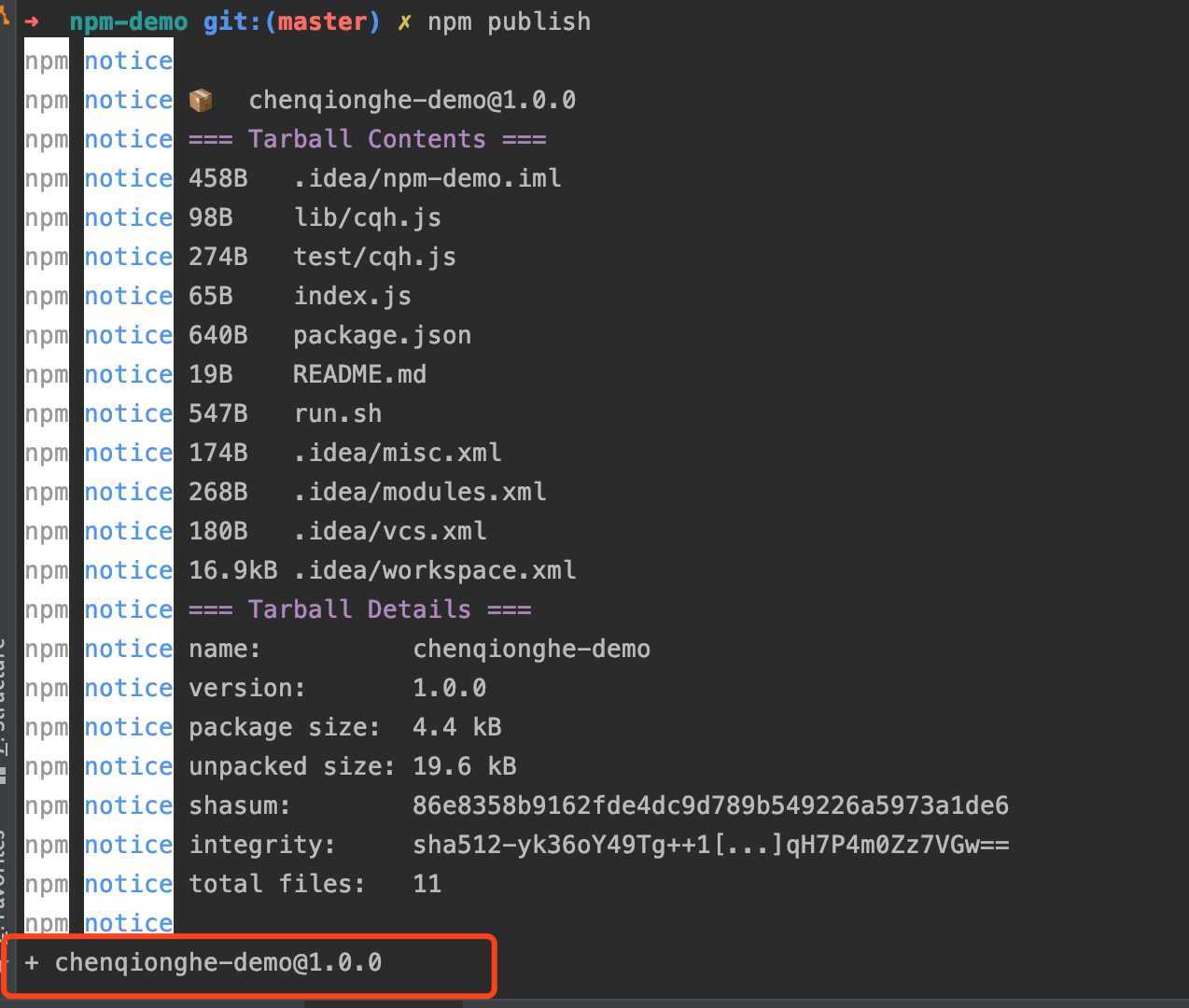
npm publish
- 私有仓库
npm publish --registry 仓库地址
发布如下
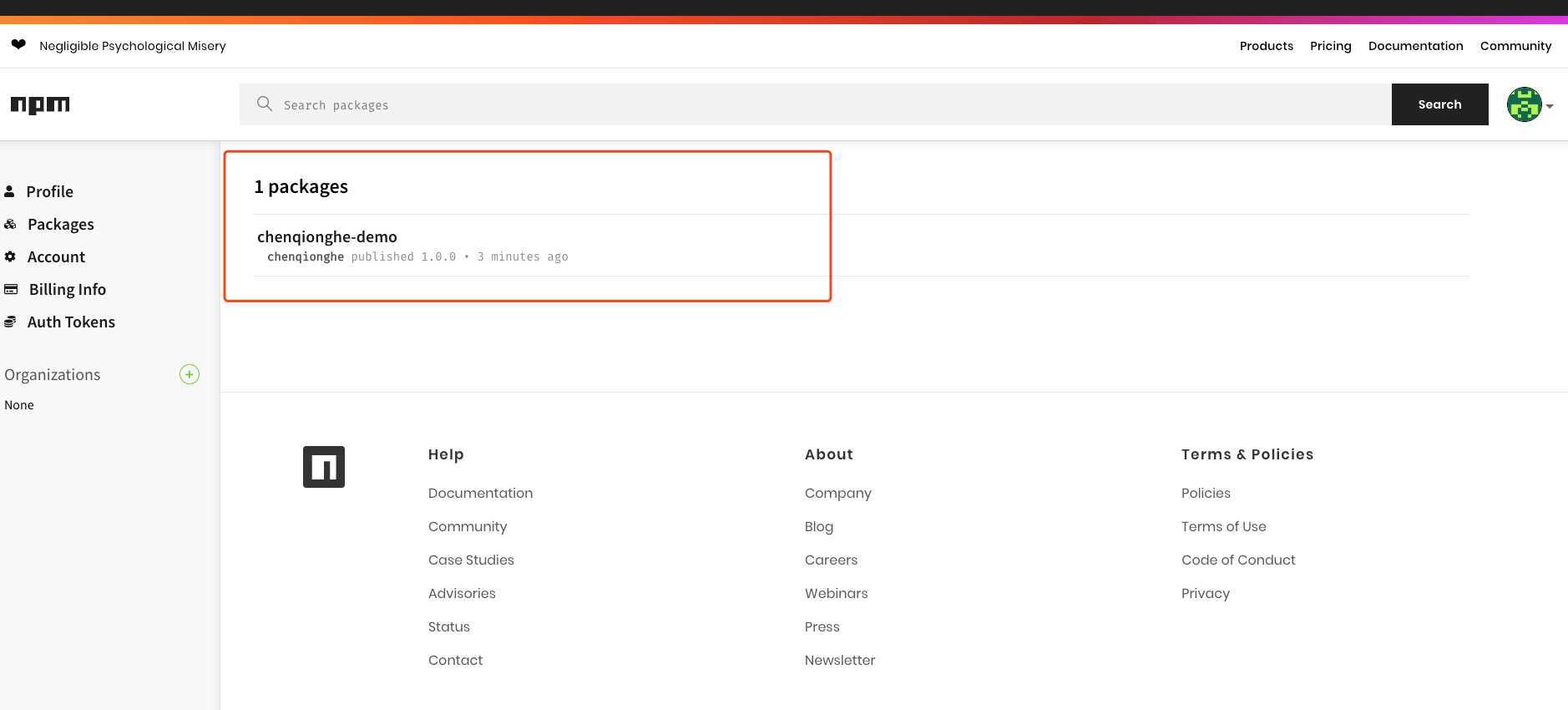
登录官网可以看到已经发布成功了
七、安装使用
- 安装
npm install chenqionghe-demo

- 测试
新建index.js文件
const {Cqh} = require("chenqionghe-demo");
let cqh = new Cqh();
cqh.hello();
运行如下

八、删除包
- 删除指定版本
npm unpublish 包名@版本号 --force
- 删除整个包(慎用、慎用、慎用)
npm unpublish 包名 --force
如果是私有仓库请加上--registry 仓库地址
下面演示了删除1.0.1的版本
npm unpublish chenqionghe-demo@1.0.1

ok,就是这么简单,你学会了吗~
原文:https://www.cnblogs.com/chenqionghe/p/13143993.html
评论(0)