
centos下vim 7.4安装NERDTree 4.2.0
时间:2020-04-27 22:44:26
收藏:0
阅读:95
1 从GitHub下载官方NERDTree发布包,地址:https://github.com/preservim/nerdtree
wget https://github.com/preservim/nerdtree/archive/4.2.0.tar.gz
2 用tar解压。作者解压后得到的目录是:nerdtree-4.2.0
tar zxvf 4.2.0.tar.gz
3 进入nerdtree-4.2.0目录
cd nerdtree-4.2.0
4 拷贝安装NERDTree插件
cp plugin/NERD_tree.vim ~/.vim/plugin
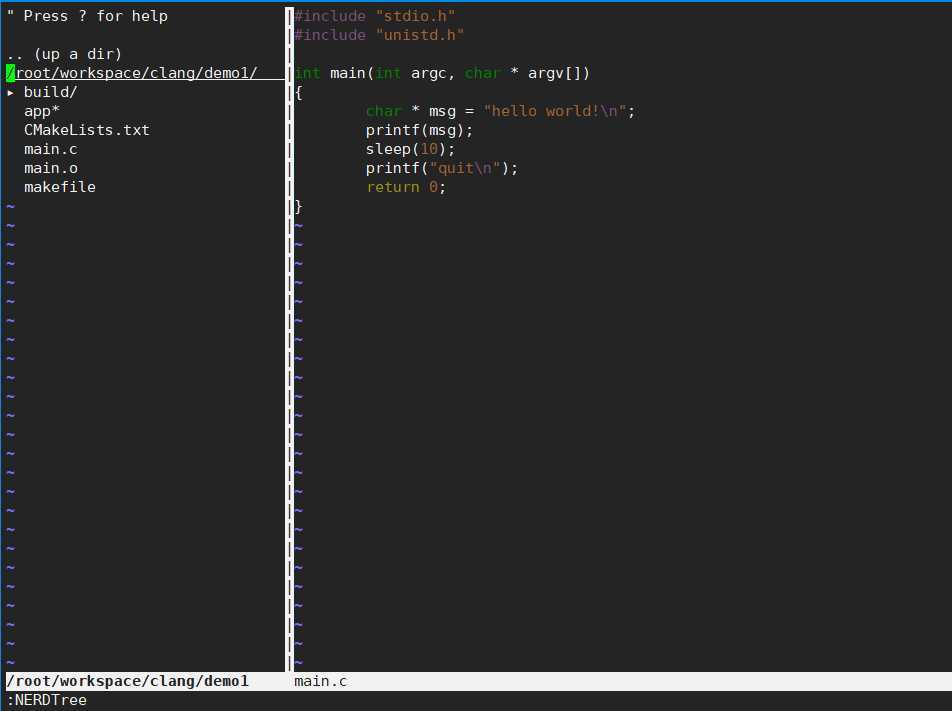
5 运行vim,输入“:NERDTree”命令查看效果
原文:https://www.cnblogs.com/ziwuxian/p/12790714.html
评论(0)