
Visual Studio "The application can not start"
时间:2014-08-20 12:15:12
收藏:0
阅读:391
在电脑异常关机导致运行Visual Studio时弹出提示“The application can not start”,可以尝试一下下面的方法(红色字体部分以实际路径为准):
1. 找到 F:\Users\Viki\Documents\Visual Studio 2012下的Setting文件夹,删除
2. 打开命令行工具输入 "M:\Program Files\Microsoft Visual Studio 10.0\Common7\IDE\devenv" /resetuserdata
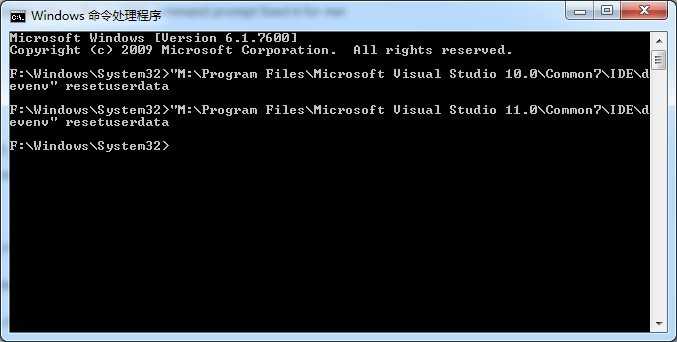
Visual Studio "The application can not start",布布扣,bubuko.com
原文:http://www.cnblogs.com/fengjunkuan/p/3924167.html
评论(0)