
ubuntu18.04安装ssh服务
时间:2019-10-02 19:09:04
收藏:0
阅读:590
一、安装openssh-service
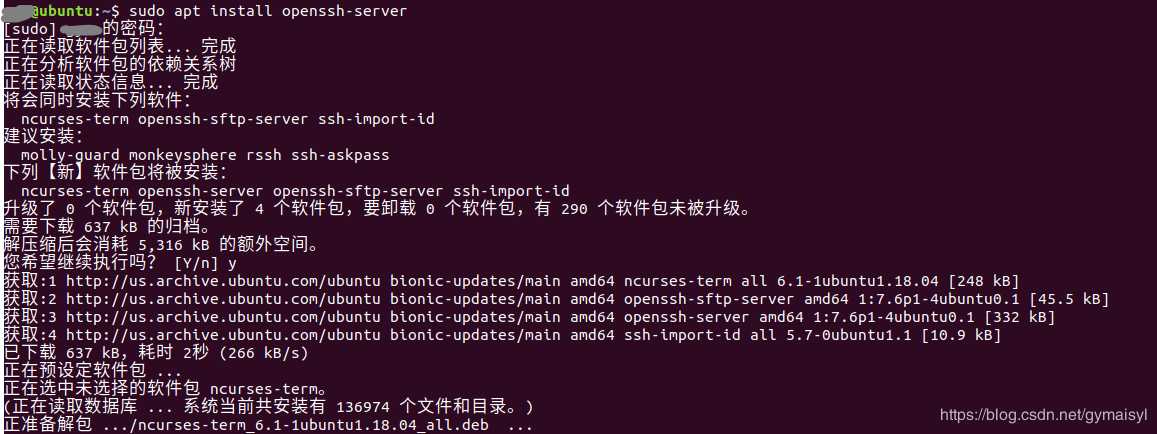
命令: sudo apt install openssh-server
二、启动ssh服务
命令: sudo service ssh start
检查是否启动成功: ps -aux | grep ssh
如果出现下方标黄部分的sshd 就说明启动成功

三、下载openssh-client
命令: sudo apt install openssh-client

四、使用xshell进行远程登录
命令:ssh user@ip
user: ubuntu用户名
ip:通过ifconfig获取的ip地址
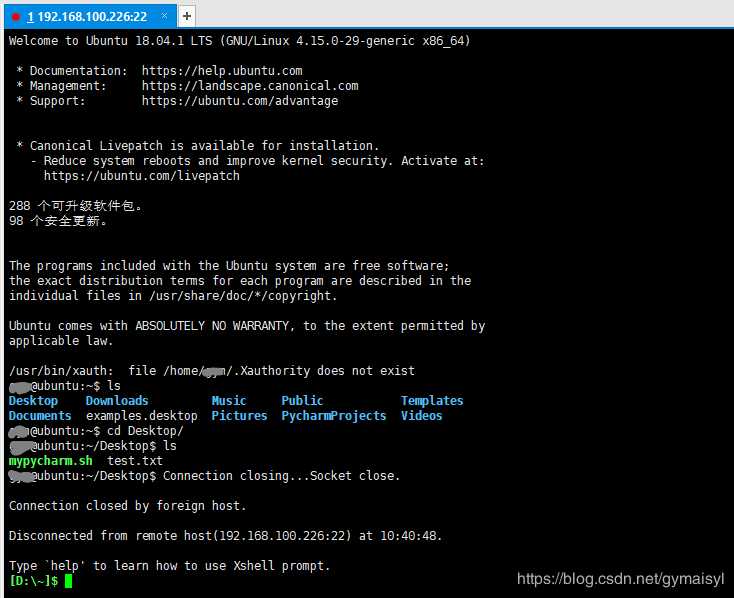
登录成功出现如下界面
五、xshell连接
查看服务器ipifconfig
打开xshell,配置如下: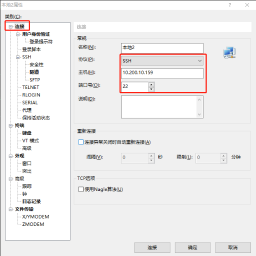
主机就是服务器内网ip,端口22为默认的端口也可以通过配置进行修改

用户名和密码为ubuntu的用户名和密码
原文:https://www.cnblogs.com/tansuoxinweilai/p/11617797.html
评论(0)