
Git error: unable to create file xxx: Filename too long
时间:2019-06-08 10:40:18
收藏:0
阅读:282
一、问题描述
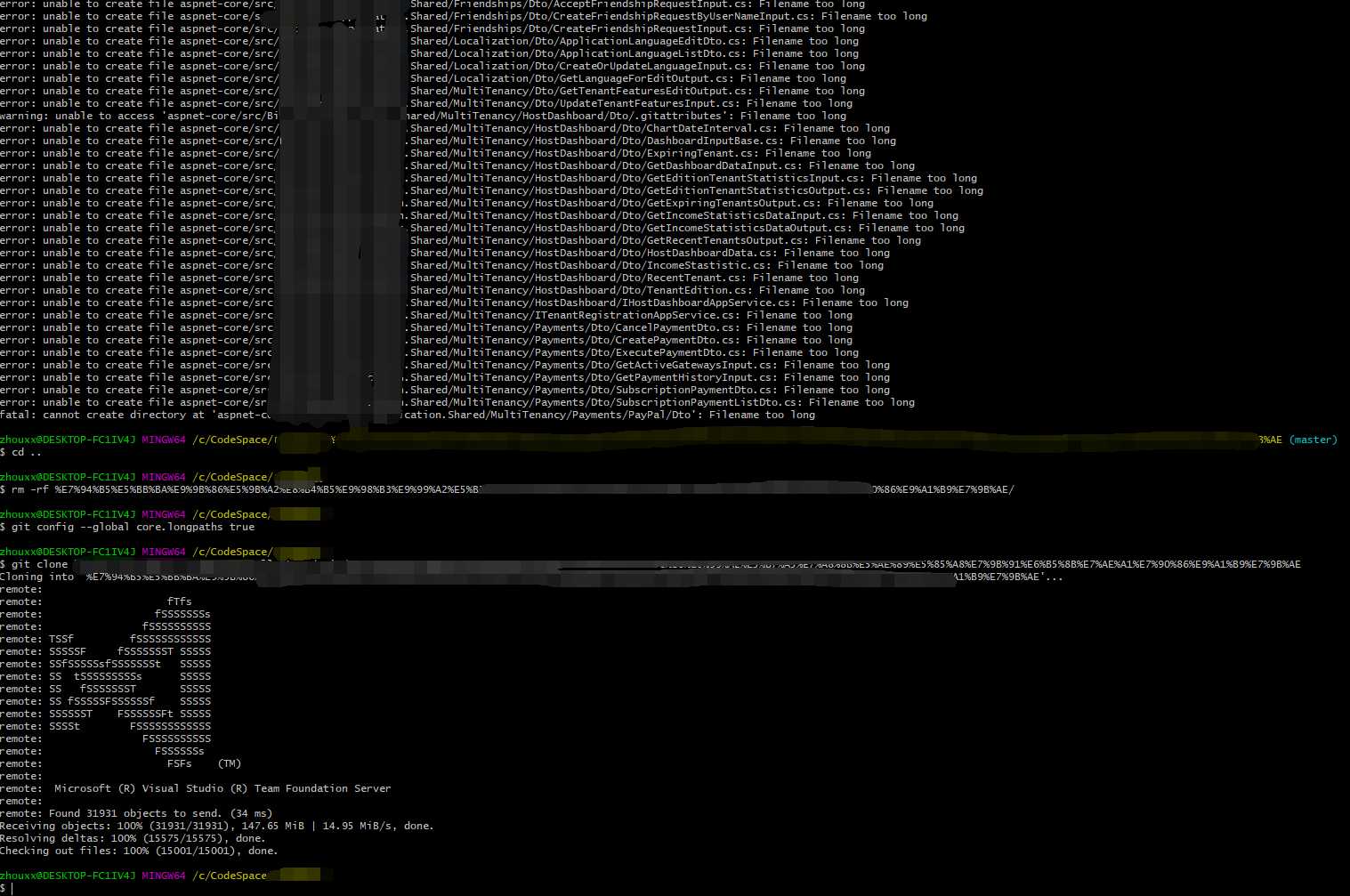
在使用 git 时,提示
error: unable to create file xxx: Filename too long
error: unable to create file xxx: Filename too long
error: unable to create file xxx: Filename too long
error: unable to create file xxx: Filename too long
error: unable to create file xxxx: Filename too long
error: unable to create xxxx: Filename too long
二、解决方案
在该 Clone 的路径下,运行该命令:
git config --global core.longpaths true
删除老的 Clone 项目,重新 Clone 即可!
三、实验截图
原文:https://www.cnblogs.com/gzbit-zxx/p/10990031.html
评论(0)