
Latex报错: Could not start the command: xelatex.exe -synctex=1 -interaction=nonstopmode?
时间:2019-05-29 14:42:23
收藏:0
阅读:727
Latex报错: Could not start the command: xelatex.exe -synctex=1 -interaction=nonstopmode
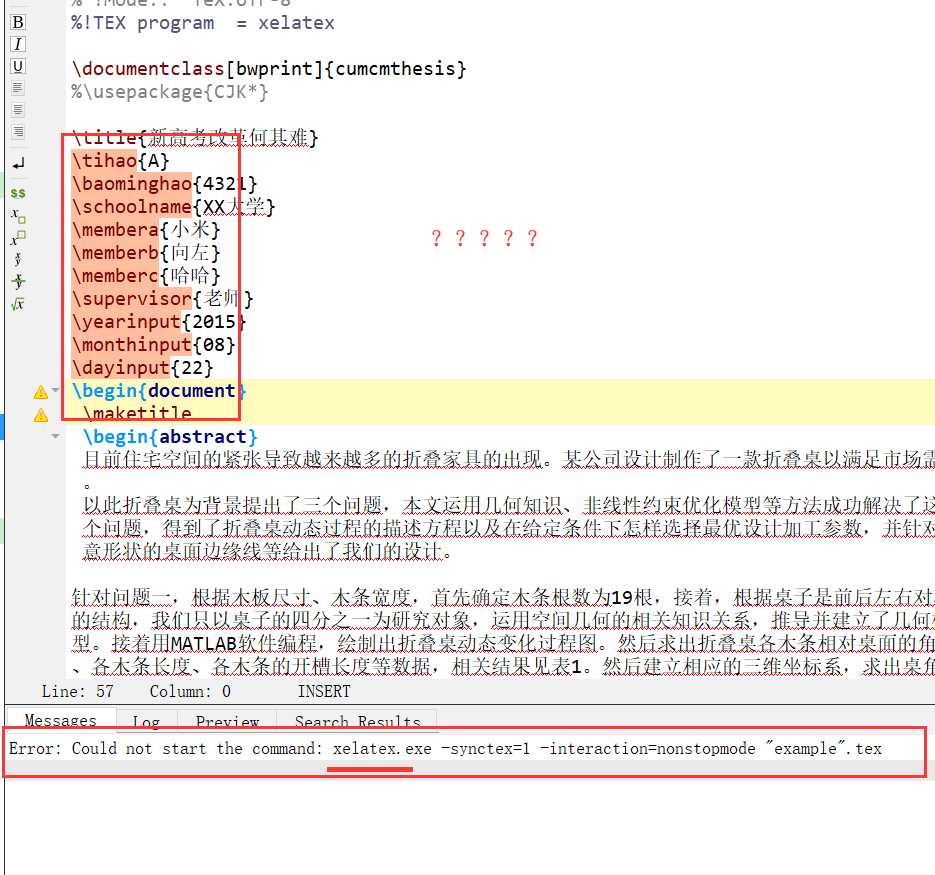
网上还有很多说出Could not start the command: pdflatex.exe -synctex=1 -interaction=nonstopmode这个问题的,
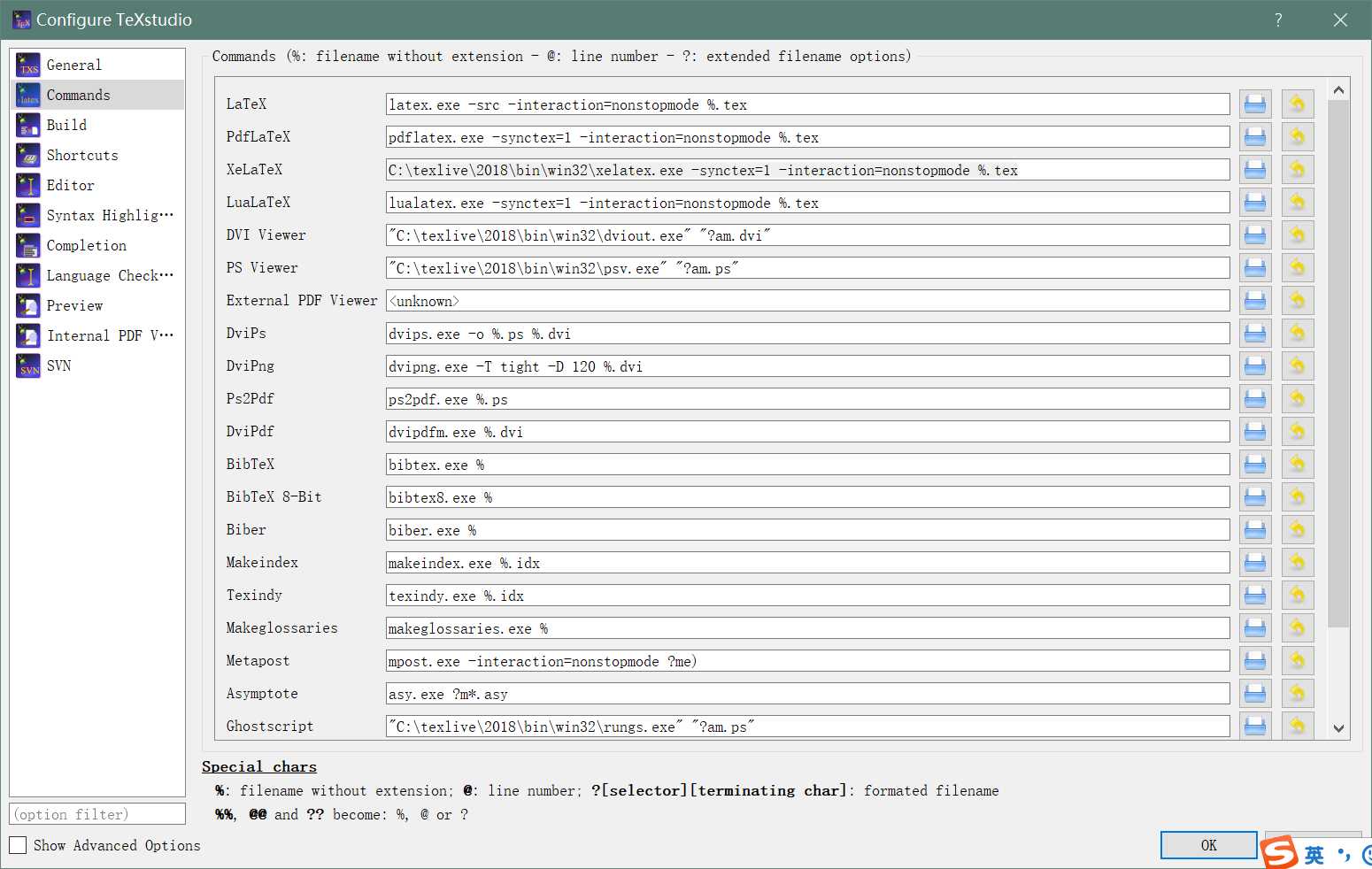
其实解决方案都差不多,只要在texstudio的options->config texstudio->commands中找到xelatex选项然后把框里的东西换成
xelatex.exe的路径+空格+-synctex=1 -interaction=nonstopmode %.tex即可,如下所示
C:\texlive\2018\bin\win32\xelatex.exe -synctex=1 -interaction=nonstopmode %.tex
原文:https://www.cnblogs.com/zhanjiahui/p/10943699.html
评论(0)