
Macbook pro Version 14.0 cannot copy and paste between different applicatons after updated system
Refer to : https://discussions.apple.com/thread/7679531
To fix a stuck clipboard (pasteboard) problem, you simply need to:
1. Open your application folder
2. Open the utilities subfolder
3. Open the Activity Monitor app
4. Type “pboard” into the search box at the top right
5. In the search results below, there should only be one result — a row listing the “pboard” process. Highlight it by clicking on it.
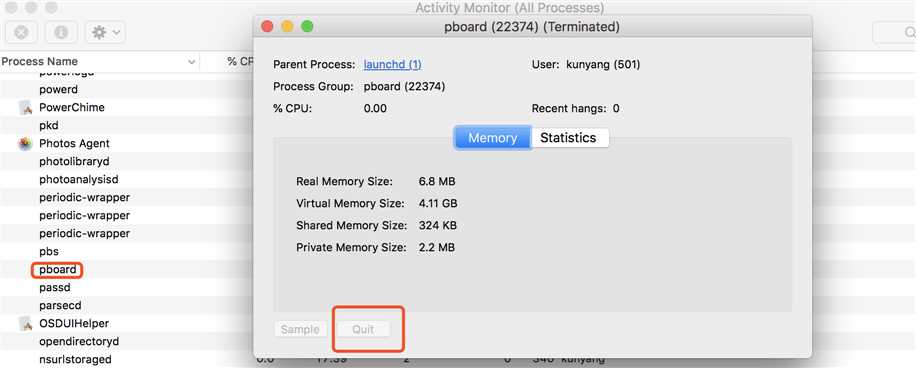
6. Click the “x” button at the top left of the window which represents ‘quit this process’
Once you’ve done that, OS X will kill the faulty PBoard process and re-establish it with a fresh one automatically.
Your clipboard should be back to norma
Note:
Other websites incorrectly advise to kill the PBS process and restart it. Apple’s manual page for PBS notes it is not related to the Pasteboard process.
IF it does not work, please restart your Macbook pro Version 14.0.
原文:https://www.cnblogs.com/quinn-yann/p/9248889.html