
centos7.4安装samba服务
时间:2018-03-29 20:01:18
收藏:0
阅读:254
centos7.4安装samba服务
- 系统平台 CentOS Linux release 7.4.1708 (Core)
- 关闭防火墙,selinux
- 安装 samba-4.6.2-8.el7.x86_64 samba-client-4.6.2-8.el7.x86_64
- 配置/etc/samba/smb.conf
- 创建共享目录,本地目录权限和共享权限
- 创建系统用户与共享用户的密码
- 启动 smb.service
- 客户端访问共享服务器
[root@localhost ~]# cat /etc/redhat-release
[root@localhost ~]# systemctl stop firewalld.service
[root@localhost samba]# systemctl disable firewalld.service
[root@localhost ~]# sed -i ‘s@SELINUX=enforcing@SELINUX=disabled@‘ /etc/selinux/config
[root@localhost samba]# setenforce 0
[root@localhost samba]# yum install samba samba-client -y
[root@localhost samba]# cd /etc/samba/
[root@localhost samba]# cp smb.conf smb.conf.bak
[root@localhost samba]# vim smb.conf
[global]
workgroup = workgroup
security = user
passdb backend = tdbsam
server string = Samba Server Version %v
log file = /var/log/samba/log.%m
max log size = 50
[shared]
comment = This is a directory of shared
path = /shared
valid users = zs
browseable = yes
read only = yes[root@localhost samba]# mkdir /shared
[root@localhost samba]# echo "shared" > /shared/1.txt
[root@localhost samba]# chmod 777 /shared/
[root@localhost samba]# useradd -s /sbin/nologin zs
[root@localhost samba]# chown -R zs:zs /shared/
[root@localhost samba]# smbpasswd -a zs
[root@localhost samba]# systemctl start smb.service
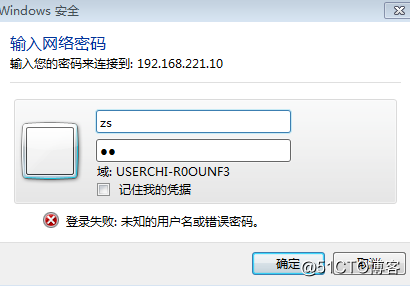
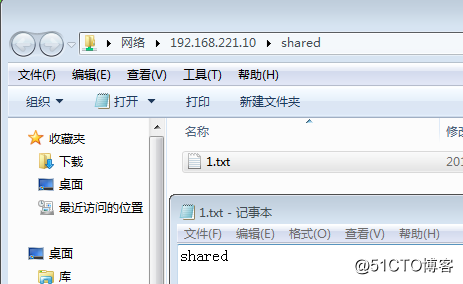
[root@localhost samba]# netstat -tlnp |grep smbwindows客户端访问samba服务器ip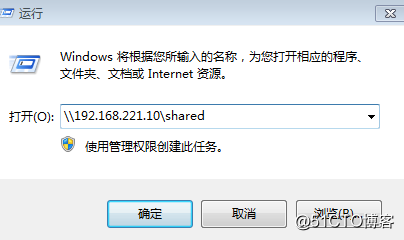
原文:http://blog.51cto.com/13480443/2092671
评论(0)