
Unity2D Keynote
时间:2014-02-05 12:13:52
收藏:0
阅读:404
【Unity2D Keynote】
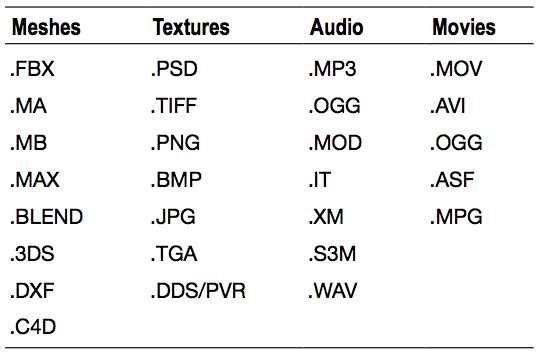
1、File Format Accepted by Unity
2、By double-clicking an object in Hierachy, you not only select the object in the scene but center the viewport on it for a better view.
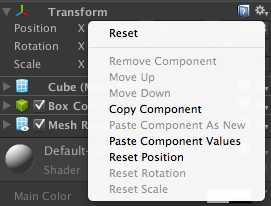
3、You could select the cube and press Ctrl+D on the keyboard to replicate an object. 在组件面板右键弹出的选项面板,可以复制与粘贴组件属性。
4、By holding the V key while translating you can snap an object to vertices, which is great for fast, precision aligning.
按住V键,可以实现顶点对齐,先选中当前object顶点,再选中目标顶点,当前object即会贴在目标object上。
5、
原文:http://www.cnblogs.com/tekkaman/p/3538072.html
评论(0)