
kali安装与配置
时间:2016-11-02 23:10:35
收藏:0
阅读:228
1、修改vi /etc/apt/sources.list后update安装软件可能出现各种依赖不行,所以修改软件源如下,并且update之后要apt-get -f install一下。
deb http://mirrors.aliyun.com/kali sana main non-free contrib

deb http://mirrors.aliyun.com/kali-security/ sana/updates main contrib non-free

deb-src http://mirrors.aliyun.com/kali-security/ sana/updates main contrib non-free
2、安装了搜狗输入法之后打不竖线,但是卸载了之后是好的,所以是安装了搜狗输入法导致的。
选择fcitx配置: ,然后选择其中的键盘图标,设置如下:
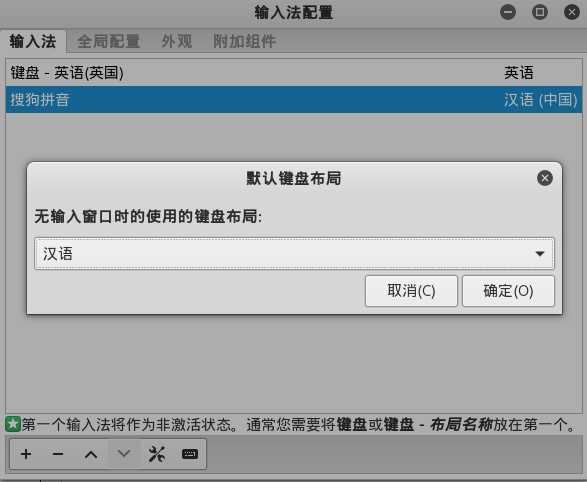
就可以了
原文:http://www.cnblogs.com/chenbuer/p/6024668.html
评论(0)