
让应用在横屏模式下启动
时间:2016-04-08 19:31:12
收藏:0
阅读:135
让应用在横屏模式下启动
为了让应用从竖屏模式切换为横屏模式,我们得完成三件事情:
1. 更改设备的”Supported Device Orientations”设置;
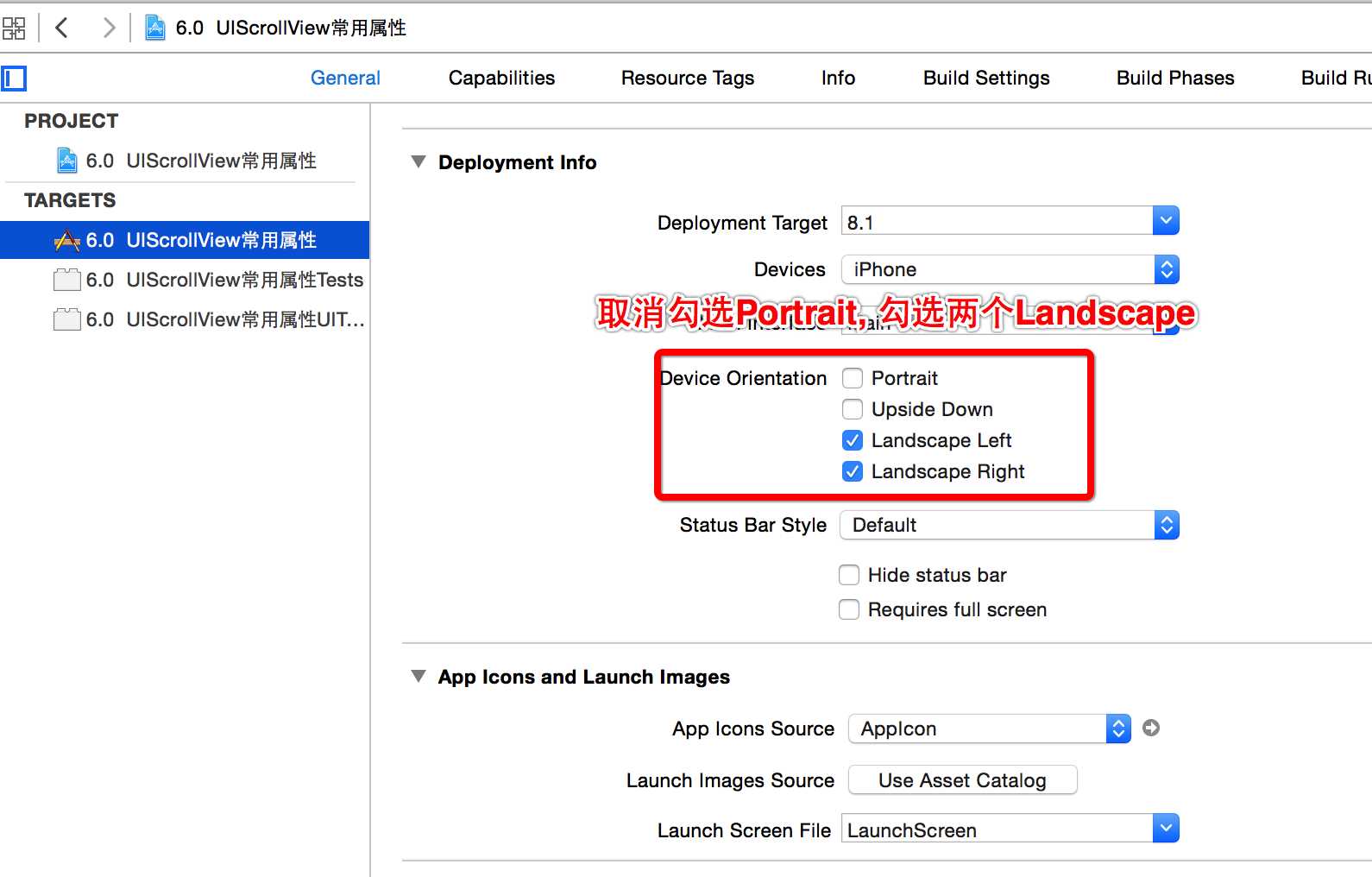
2. 让Main.storyboard中的视图控制器中的view使用横屏显示;

3. 更改ViewController.m中的一行代码,允许视图控制器自动旋转到横屏模式。

// Returns a Boolean value indicating whether the view controller‘??s contents should auto rotate. In iOS 5 and earlier, the default return value was NO.
- (BOOL)shouldAutorotate {
return YES;
}
现在再点Run按钮,一切应该正常了。
原文:http://www.cnblogs.com/stevenwuzheng/p/5369601.html
评论(0)