
NGUI之添加响应函数
时间:2016-03-31 21:33:07
收藏:0
阅读:233
 public void ButtonNextClicked()
    {
        SelectIndex++;
        SelectIndex %= 2;
        showGameObject();
    }
 public void ButtonPreClicked()
    {
        SelectIndex--;
        if (SelectIndex < 0)
            SelectIndex += 2;
        showGameObject();
    }
 public void ButtonOkClicked()
 {
     PlayerPrefs.SetInt("CharacterSelectIndex", SelectIndex);
     PlayerPrefs.SetString("PlayerName", NameInput.value);
这段代码是attach在一个空的GameObject上,注意是public
,另外在按钮的UIButton上挂载函数的时候记得得先挂载对象(GameObject)
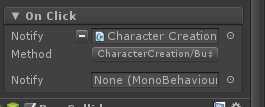
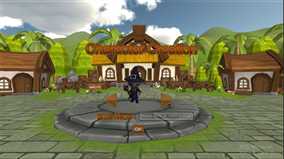
最后,放一张已经完成的UI界面,哈哈,美不美
原文:http://www.cnblogs.com/YTYMblog/p/5342741.html
评论(0)